Crop plan
Defines stages, targets and the logic of the crop cycle
Farm production management platform
Gros.farm connects crop plans, farm data, tasks, teams and on-site automation—so you can compare plan with reality, spot deviations sooner and improve farm performance.
More than a collection of screens
Every part of Gros.farm supports the next: the crop plan sets the course, data shows what is happening, and tasks turn decisions into field work.
Defines stages, targets and the logic of the crop cycle
Builds a reliable picture of actual conditions
Turns the plan into work for the team
Surfaces deviations that need a decision
Receives setpoints while remaining reliable on site

A shared workspace for people and AI
Gros.farm connects each site, crop, stage, crop plan, metric, task and deviation history. AI receives the real operating context, helps investigate causes and prepares recommendations, while the final decision stays with your team.
How AI-ready context works in Gros.farmTasks, observations, photos and sensor data become part of the farm history.
Each fact is connected to a site, crop, stage, target and result.
It surfaces deviations, compares possible causes and prepares questions to verify.
From plan to result
Stop rebuilding the state of the farm from spreadsheets, chats and individual memory.
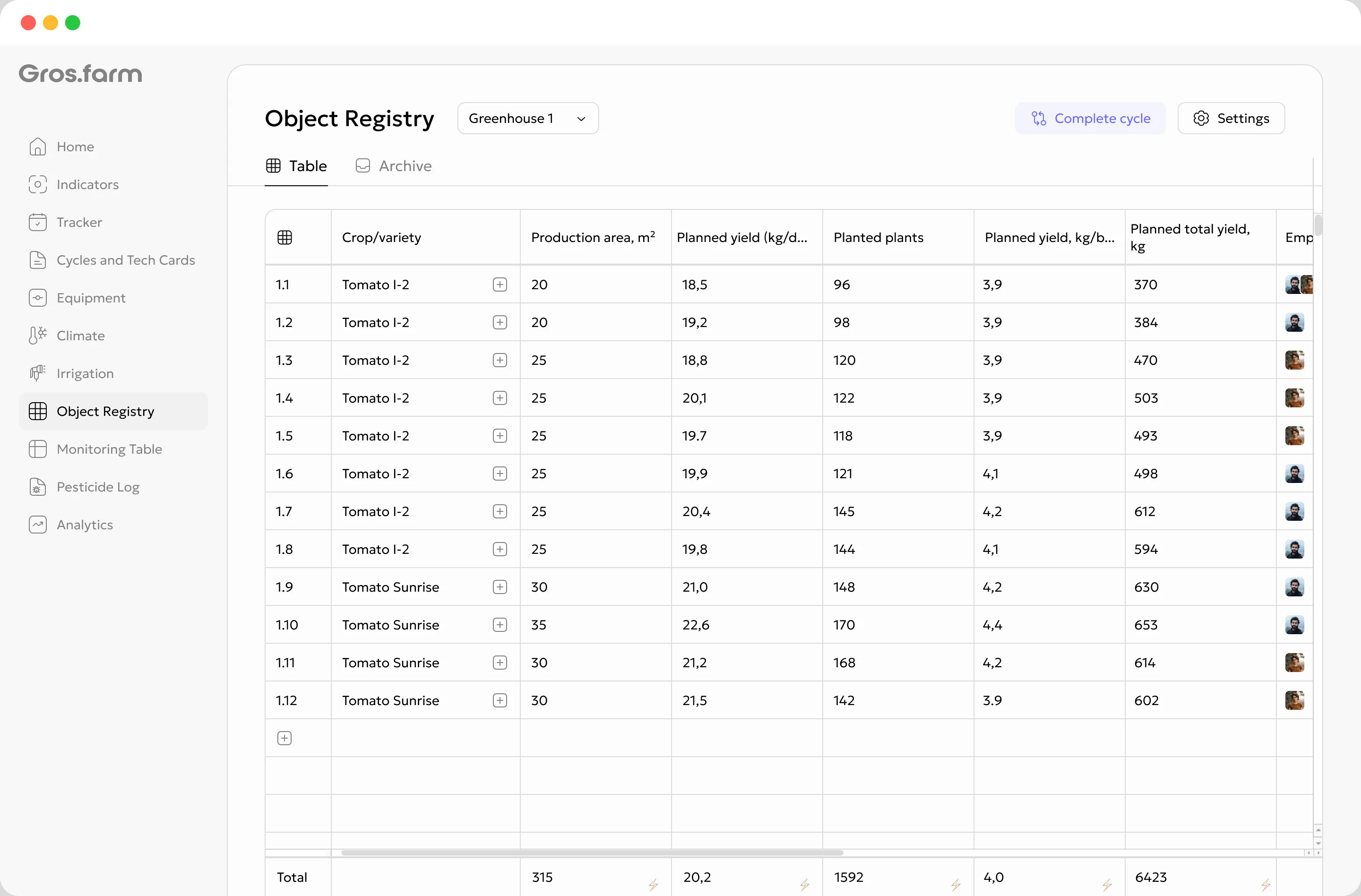
The farm registry connects sites, blocks, rows, crops, area, target yield and assignees. The full picture stays clear from the start of the cycle through the final result.
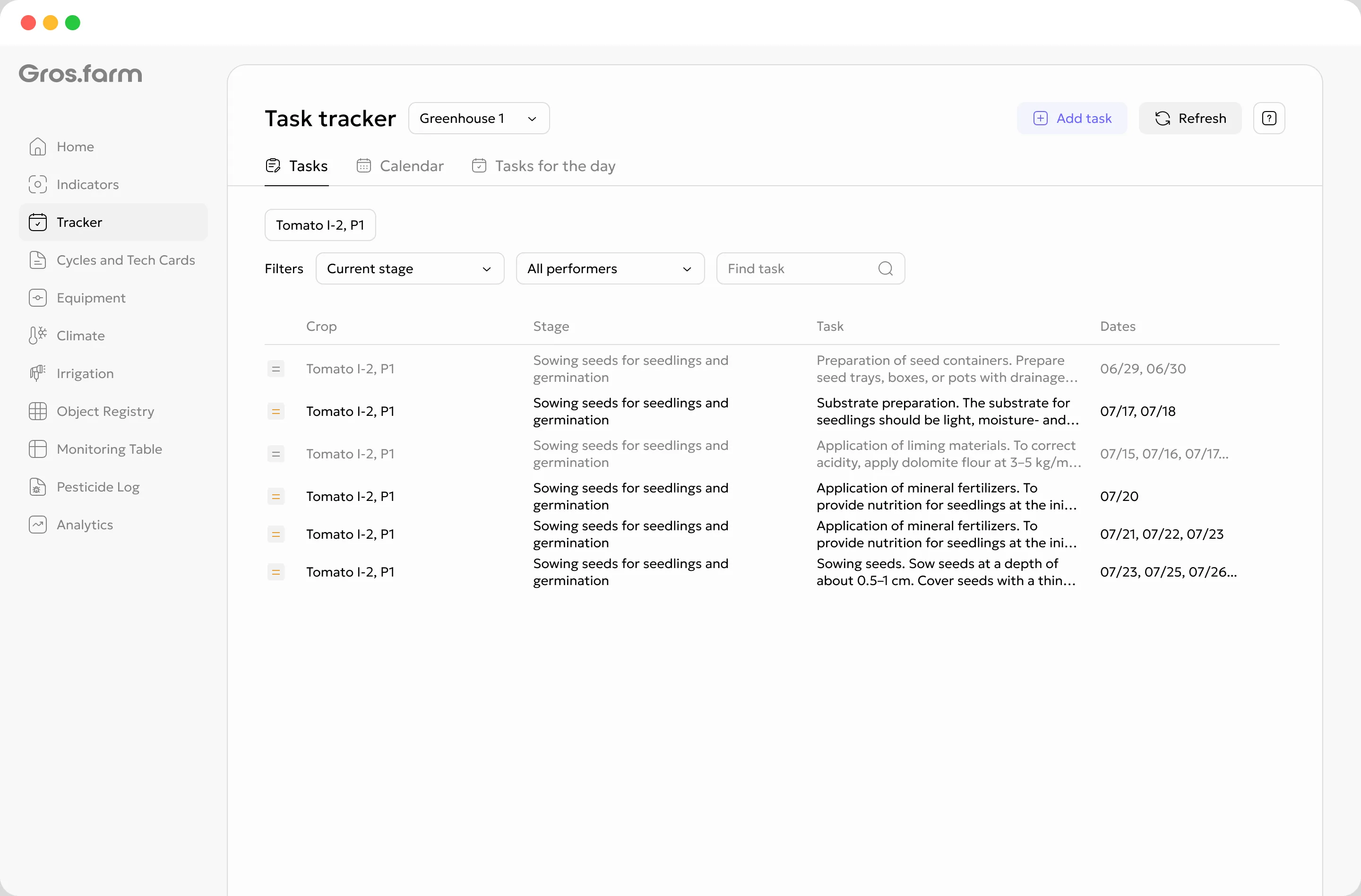
Plan treatments in the calendar and keep every record connected to the site, crop, product, application rate and actual usage.
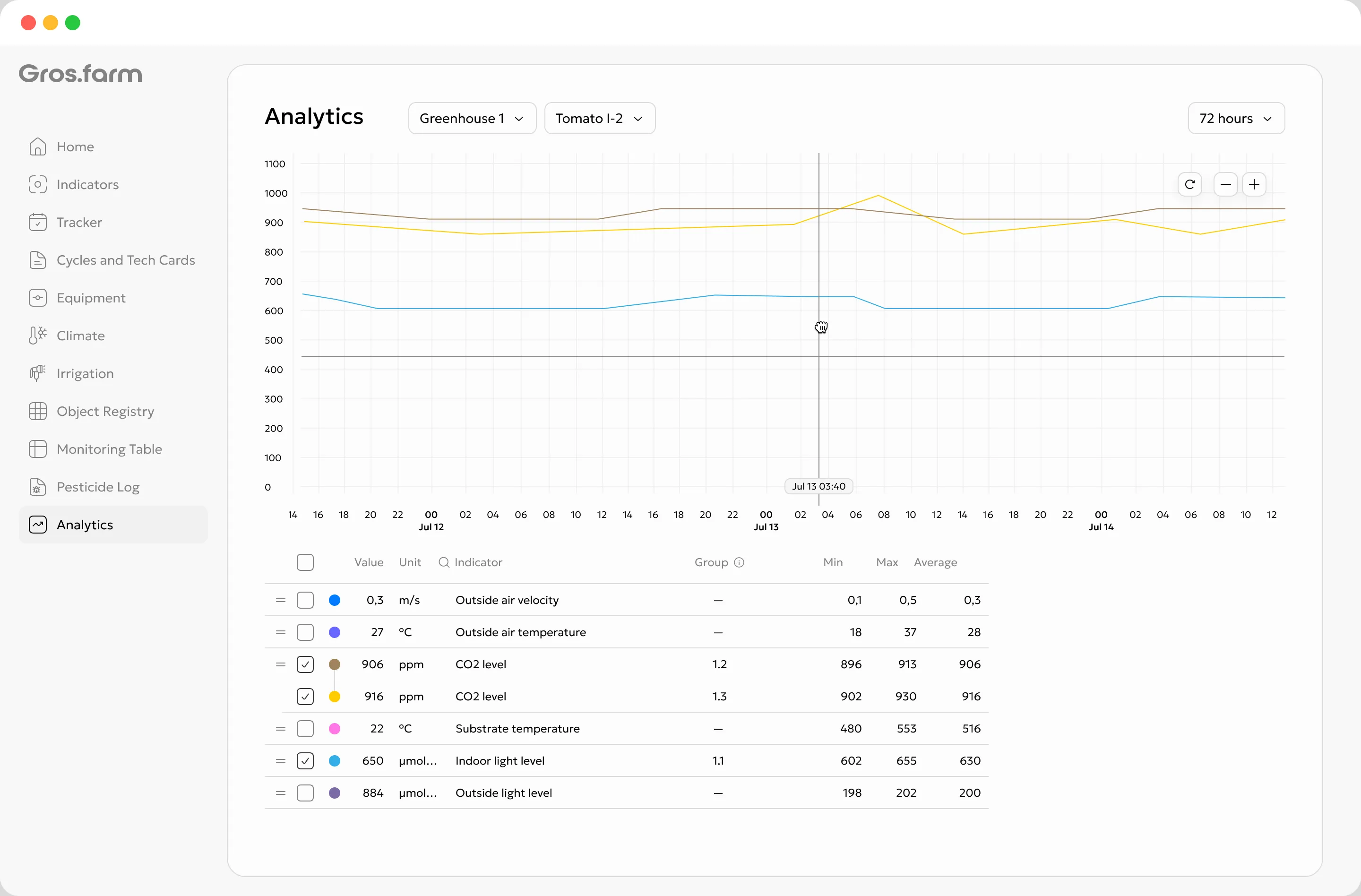
Accumulated solar radiation, water volume and irrigation history stay in one operational view. You see not only the chart, but also the action that was completed.
From plan to result
The farm registry connects sites, blocks, rows, crops, area, target yield and assignees. The full picture stays clear from the start of the cycle through the final result.
Crop plan
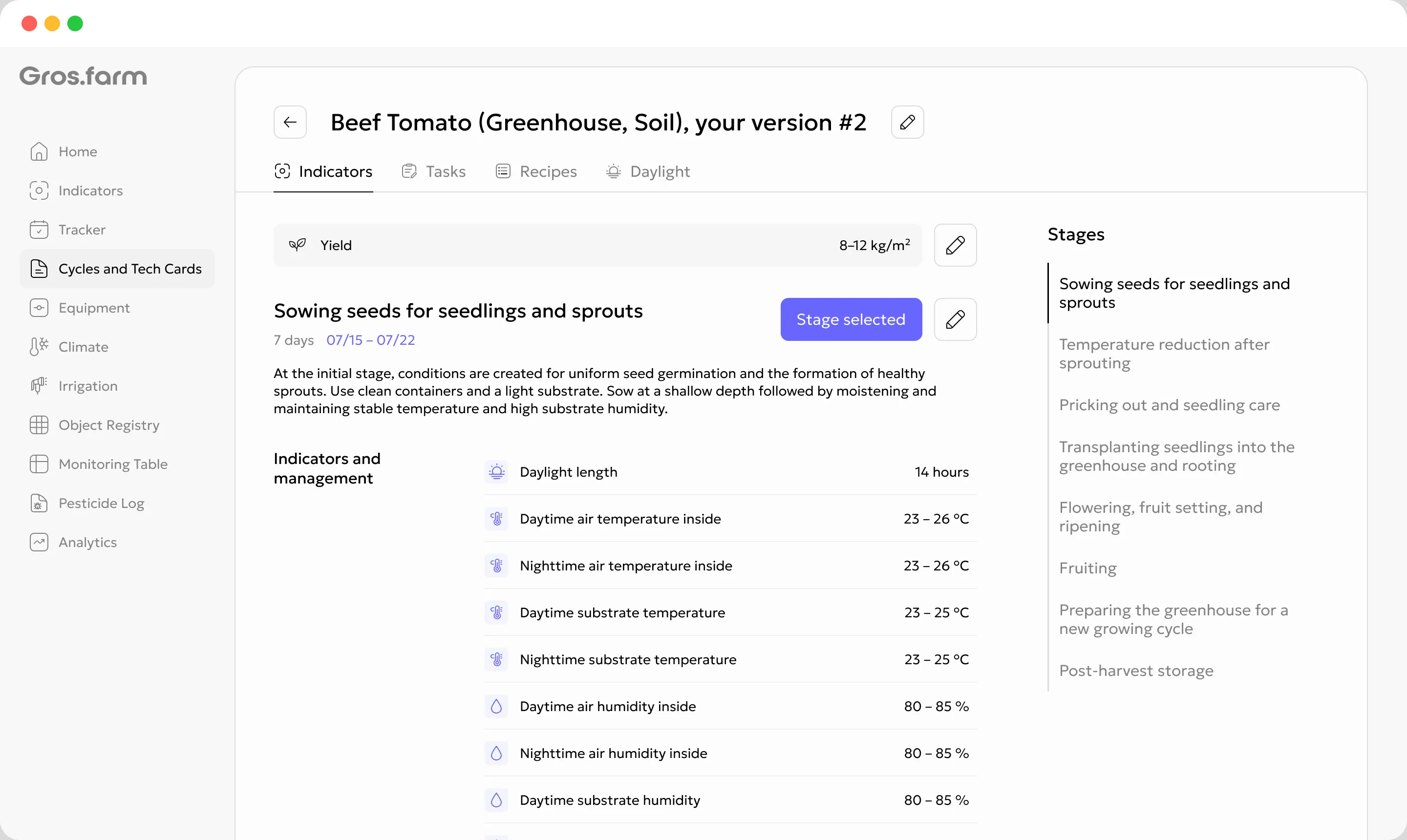
Stages, targets and metrics stay together in one working crop plan.
Data
Current readings on mobile and detailed analytics on a larger screen.
Move from the whole operation to the tasks for a specific site.
Stages, targets and metrics stay together in one working crop plan.
Managers plan in the web app while field teams work from their phones.
Current readings on mobile and detailed analytics on a larger screen.
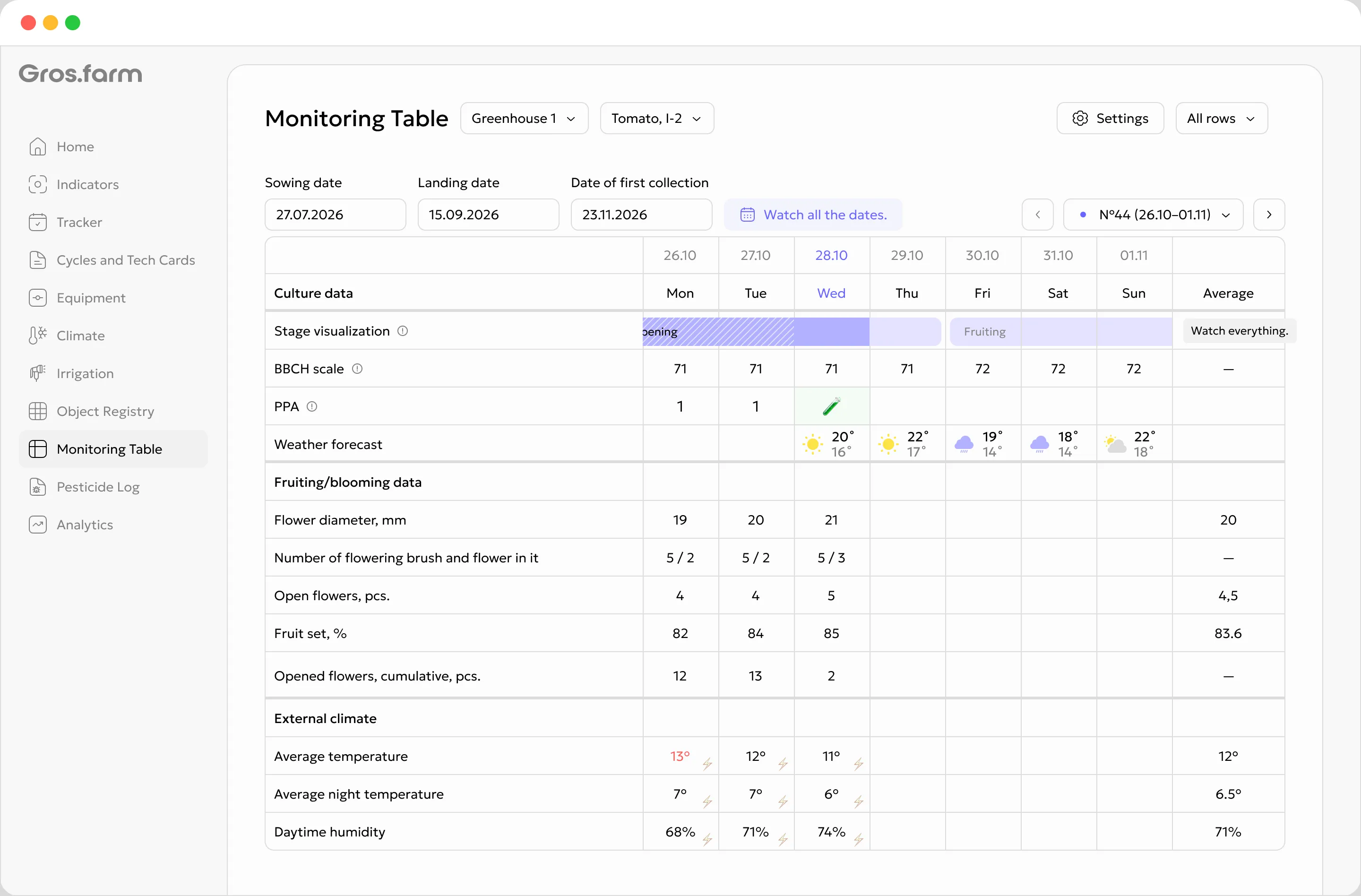
Data
Current readings on mobile and detailed analytics on a larger screen.
Team
Managers plan in the web app while field teams work from their phones.
When a farm has many pickers and shifts, Harv handles invitations, QR attendance, result acceptance, quality and payments.
Integration without sacrificing reliability
Gros.farm works above your existing control layer. It connects crop plans, operating history and setpoints without replacing local controllers or their safety routines.
Defines stages, targets and the logic of the crop cycle
Builds a reliable picture of actual conditions
Turns the plan into work for the team
Controllers · sensors · actuators · safety routines
Integration without sacrificing reliability
Gros.farm works above your existing control layer. It connects crop plans, operating history and setpoints without replacing local controllers or their safety routines.
Every part of Gros.farm supports the next: the crop plan sets the course, data shows what is happening, and tasks turn decisions into field work.
Move from the whole operation to the tasks for a specific site.
Stages, targets and metrics stay together in one working crop plan.
Managers plan in the web app while field teams work from their phones.
Current readings on mobile and detailed analytics on a larger screen.
2–5 minutes
5–15 minutes
10 minutes
Start before you integrate anything Put the process in order first. Connect data and automation when the farm is ready.
Clear boundaries
The platform brings crop plans, data, tasks and roles together. Controllers and safety routines keep running reliably on site.
Know what is on track, where attention is needed and which decisions cannot wait.
Compare field data with the crop plan and keep operational knowledge inside the farm.
Receive clear tasks and instructions without a complicated interface.
One system, clear value for every role
Every part of Gros.farm supports the next: the crop plan sets the course, data shows what is happening, and tasks turn decisions into field work.
Know what is on track, where attention is needed and which decisions cannot wait.
Compare field data with the crop plan and keep operational knowledge inside the farm.
Receive clear tasks and instructions without a complicated interface.
Built for different production models
Stop rebuilding the state of the farm from spreadsheets, chats and individual memory.
One system, clear value for every role
Connect crop plans, farm data, tasks, teams, on-site automation and AI-ready context in one production management platform.
Every part of Gros.farm supports the next: the crop plan sets the course, data shows what is happening, and tasks turn decisions into field work.
Know what is on track, where attention is needed and which decisions cannot wait.
Compare field data with the crop plan and keep operational knowledge inside the farm.
Receive clear tasks and instructions without a complicated interface.
Start before you integrate anything
Every part of Gros.farm supports the next: the crop plan sets the course, data shows what is happening, and tasks turn decisions into field work.
2–5 minutes
5–15 minutes
10 minutes
Quick start
Configure the site and process first, then add data, integrations and automation.
See pricingComplete this step gradually and expand later.
Complete this step gradually and expand later.
Complete this step gradually and expand later.
Yes. Start with sites, the registry, crop plans, tasks, manual data and monitoring. Add integrations later.
No. You can set up one site and one crop cycle in a day, then expand gradually.
Yes. Start with a pilot at one site and roll the proven setup out to other locations.
No. Local automation handles reliable execution and safety, while Gros.farm provides crop context, targets, schedules and analytics.
No. The platform supports greenhouses, fields, orchards, berry farms, nurseries, mushroom farms and vertical farms.
Crop plans, metrics, analytics, tasks, monitoring and events in one farm context.
First step
Create a production site, add a crop and crop plan, assign tasks and start collecting data. Connect the other capabilities as the farm is ready.


