The record is isolated from production
- the plan and actual application must be compared manually;
- it may be unclear which crop cycle the treatment belongs to;
- the result has to be found in observations and messages.
Crop protection application log
Keep the farm, crop, target pest or disease, product, rate, area, timing, and responsible team in one record. Each treatment stays in the crop history instead of disappearing into a separate spreadsheet.
Do not fill out the log after the fact
When the agronomist plans in one place, the worker receives the task somewhere else, and the log is completed later, important context gets lost. In Gros.farm, it is one connected workflow.
One connected workflow
Every step keeps its context. There is no need to reconstruct the record from the calendar, team tasks, and a separate application log.
The agronomist defines the objective, product, application rate, and suitable treatment window.
Set the location, crop, area, date, time, and responsible team.
The worker receives a clear task in the context of the production area.
Actual area, quantity used, timing, and notes become part of the history.
Treatment record
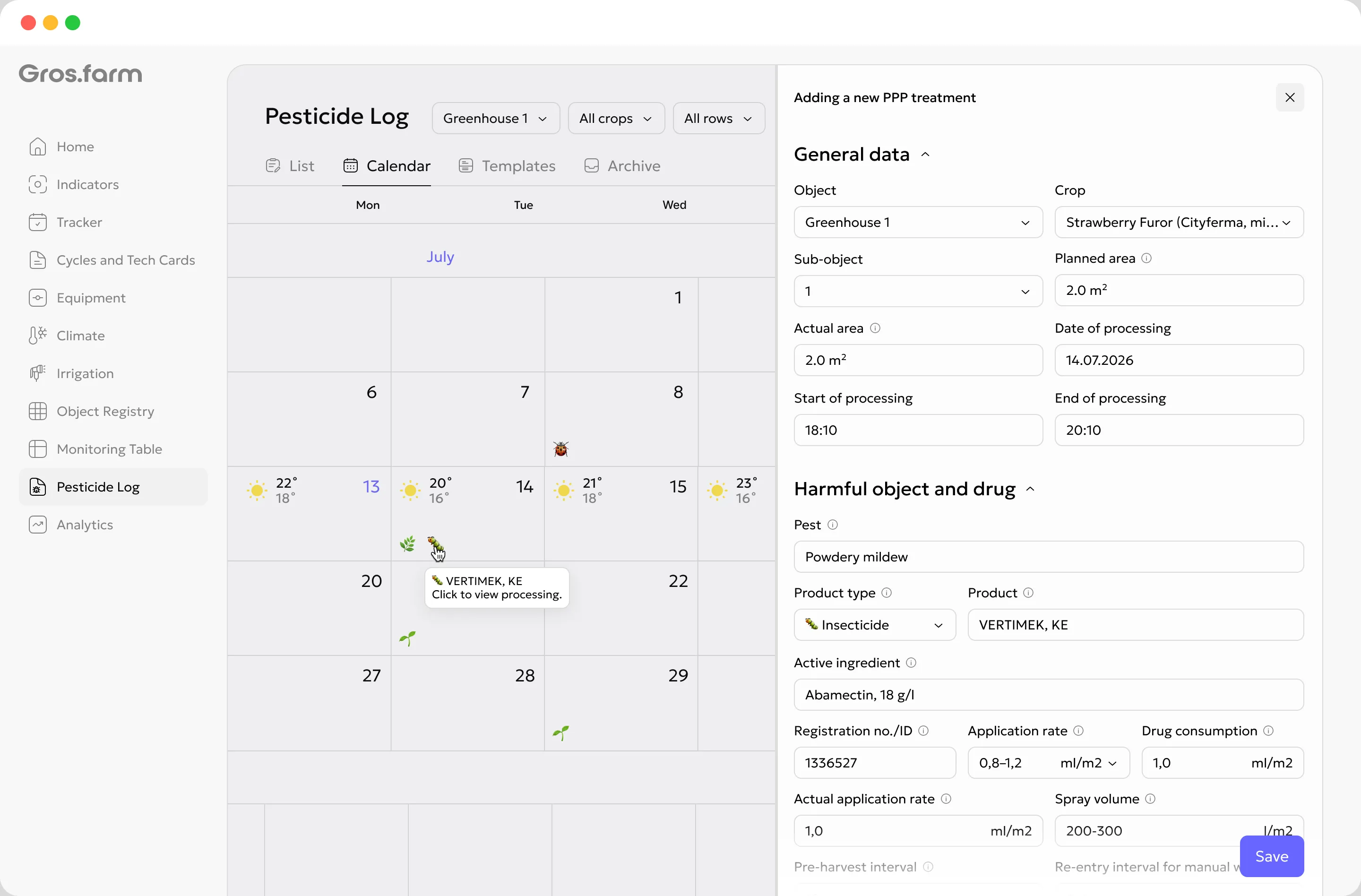
The fields follow the work itself: location and timing first, then the treatment target, crop protection product, and actual application.
Farm, facility, production area, crop, and growth stage.
Planned and actual area, date, start time, and finish time.
Pest, disease, weed, or another reason for the application.
Product type, trade name, active ingredient, and registration number.
The planned application rate beside the actual product quantity used.
Applicator, equipment, weather conditions, checks, and notes.
Gros.farm structures the record but does not choose the product or application rate for the specialist. Product selection, label compliance, and authorization to perform the work remain the responsibility of the farm’s qualified staff.
Before and after the treatment
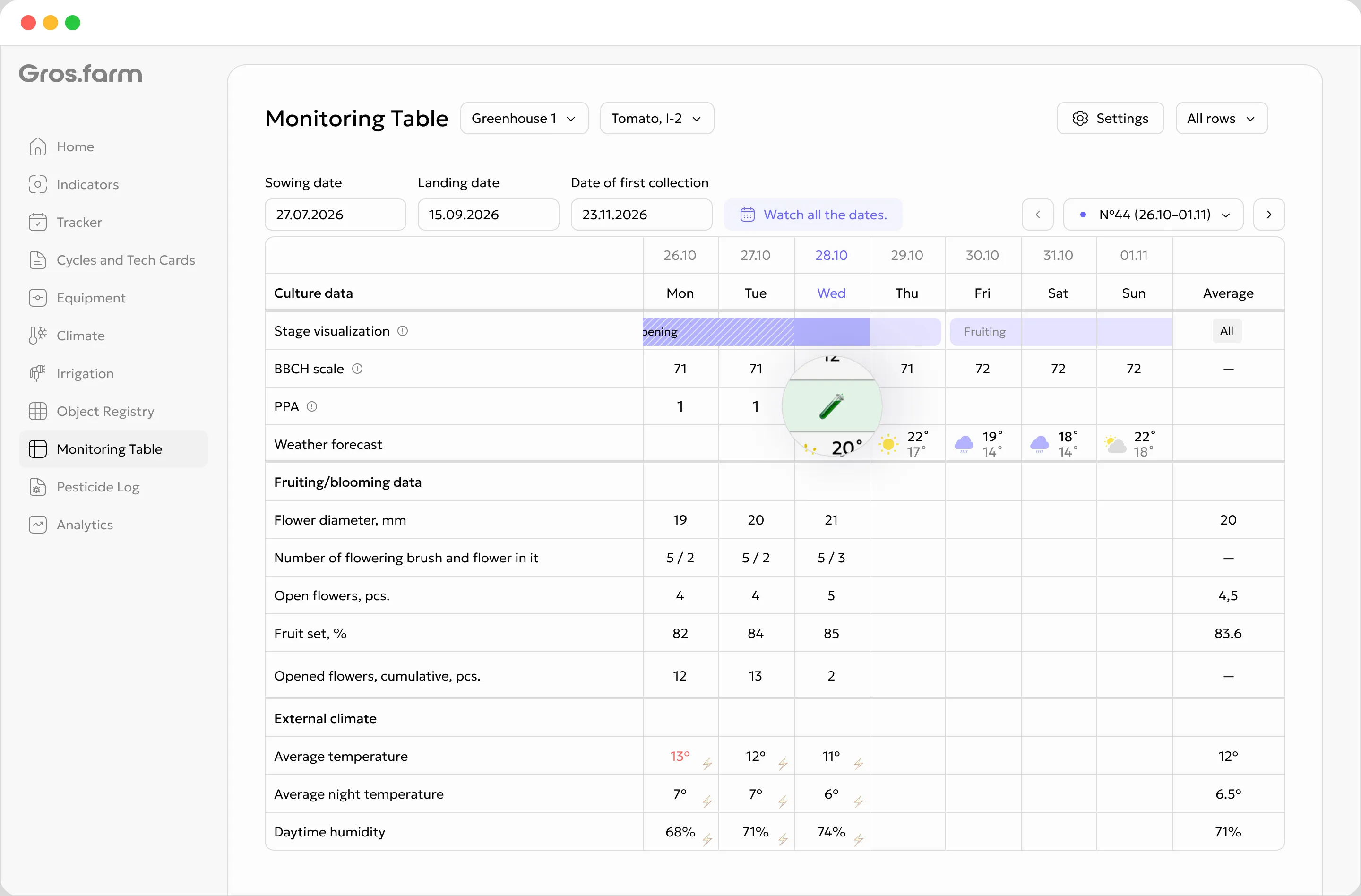
The treatment appears on the monitoring timeline. The growth stage, weather, observations, photos, and environmental metrics stay beside it, so you can reconstruct what happened before the application and how conditions changed afterward.
Observations, photos, crop status, and the weather window.
Product, rate, area, timing, and applicator.
New observations and metric trends for the same crop cycle.
One log, several working views
There is no need to maintain duplicate records. The view changes, but the treatment and its actual application values stay the same.
Filter records by location and crop, then open application details quickly.
See treatments by day and compare them with other work across the farm.
Return to a treatment together with growth stages, observations, and metrics.
Context for the AI workspace
A connected model can work with periods, locations, crops, observations, and actual application data instead of a scattered list of product names.
“Show treatments for this location during the selected period.”
“Find records where the actual area or product quantity is missing.”
“Compare treatments with the crop observations that followed.”
The essentials
It is a working area for planning and recording crop protection treatments. Each record is connected to the farm location, crop, production area, date, product, application rate, and actual application details.
Yes. Enter the planned values before the work. After the treatment, add the actual area, quantity used, timing, applicator, and notes.
Location and production area, crop, treatment target, product, product type, active ingredient, registration number, application rate, quantity used, area, date and time, equipment, conditions, applicator, and checks.
Yes. One treatment can include several products and several target pests, diseases, or weeds when that matches the agronomic decision made by the farm.
The record stays in the application log, calendar, and crop cycle history. It can also appear in the monitoring table beside growth stages, weather, and observations.
No. Gros.farm helps organize internal production records and prepare data for reporting, but it does not replace legally required government systems, label requirements, or local regulations.
No. AI can prepare data selections, find incomplete records, and help explore treatment history. A qualified specialist remains responsible for the product, application rate, and evaluation of the result.
No separate spreadsheet
See how Gros.farm connects treatment planning, field work, actual application data, and the observations that follow.