
Where to work
Farm, facility, and work area.
Farm work management in the mobile app
The app gives each worker a personal daily plan, clear instructions, and offline access. They open a task, complete the work, and record the result on site.
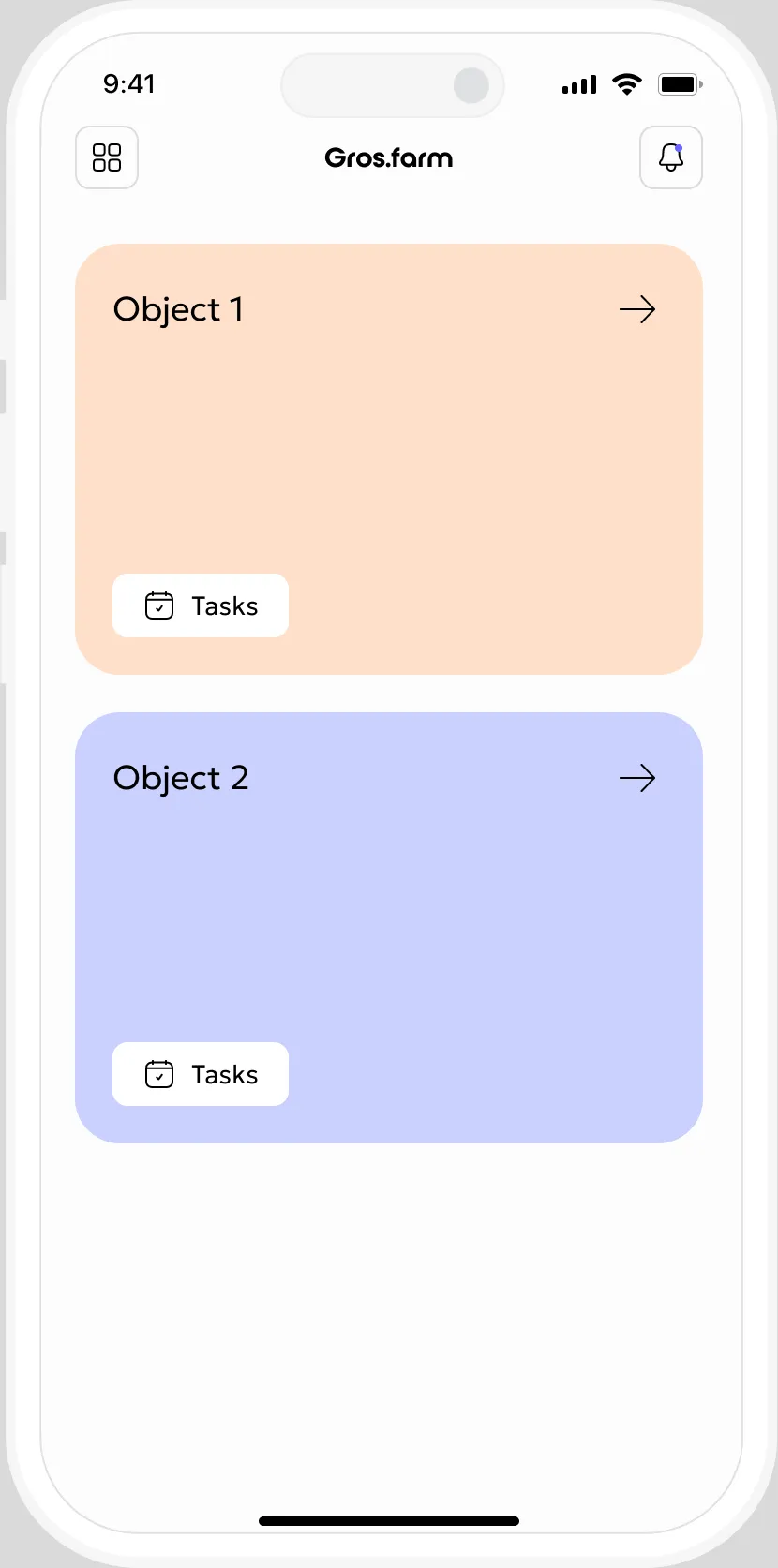
A day on site
New team members can start work quickly without long onboarding or daily phone calls.
The first screen shows today’s work and its priority.
Every job is tied to a specific production area.
The description and attachments are inside the task.
Complete the task, add a report, or reschedule it.
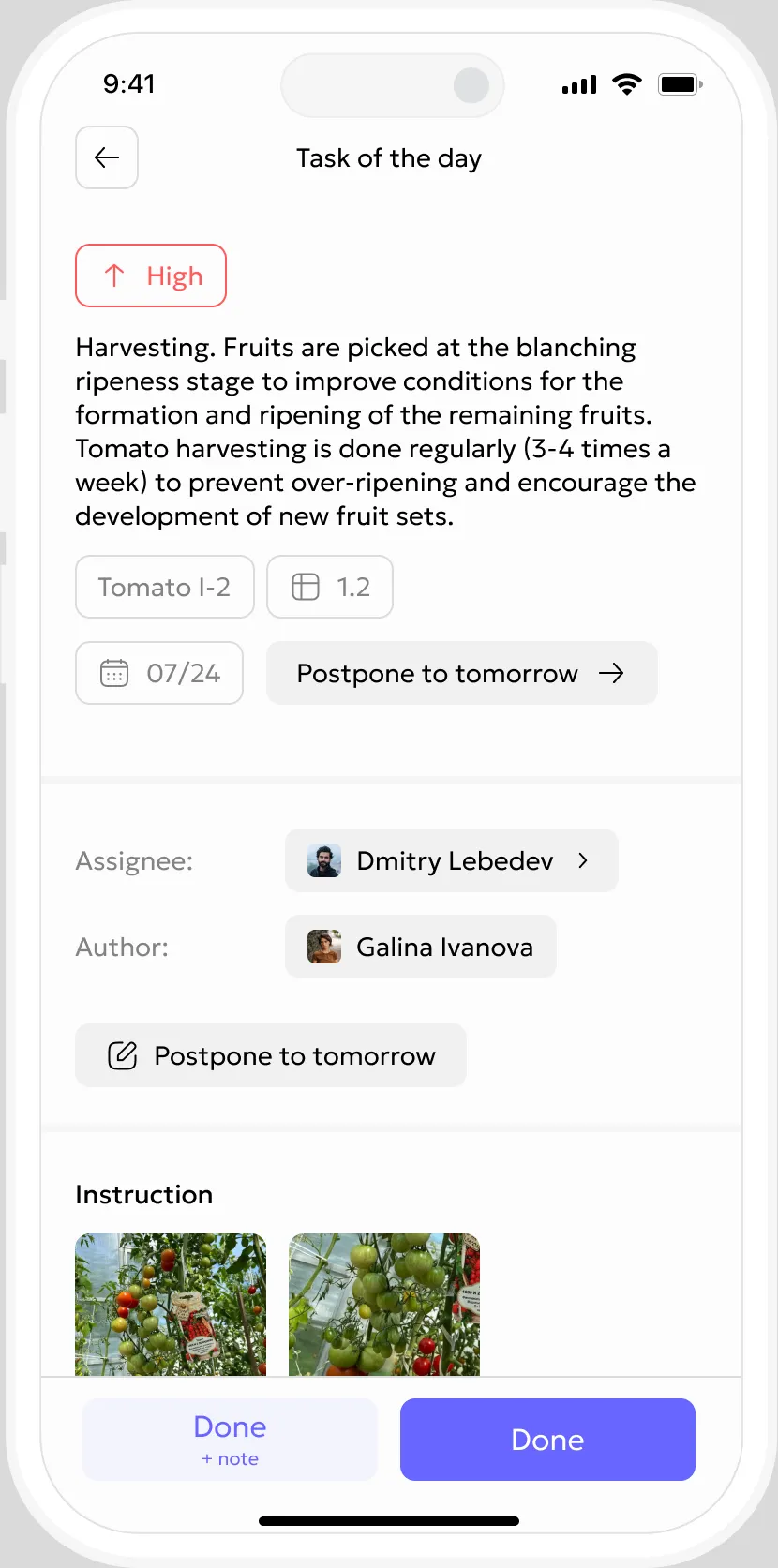
Context inside every task
All the details workers usually have to ask for are already here: location, crop, growth stage, instructions, and deadline.
Farm, facility, and work area.
Crop, growing cycle, and growth stage.
Clear instructions and available attachments.
Due date and task priority.
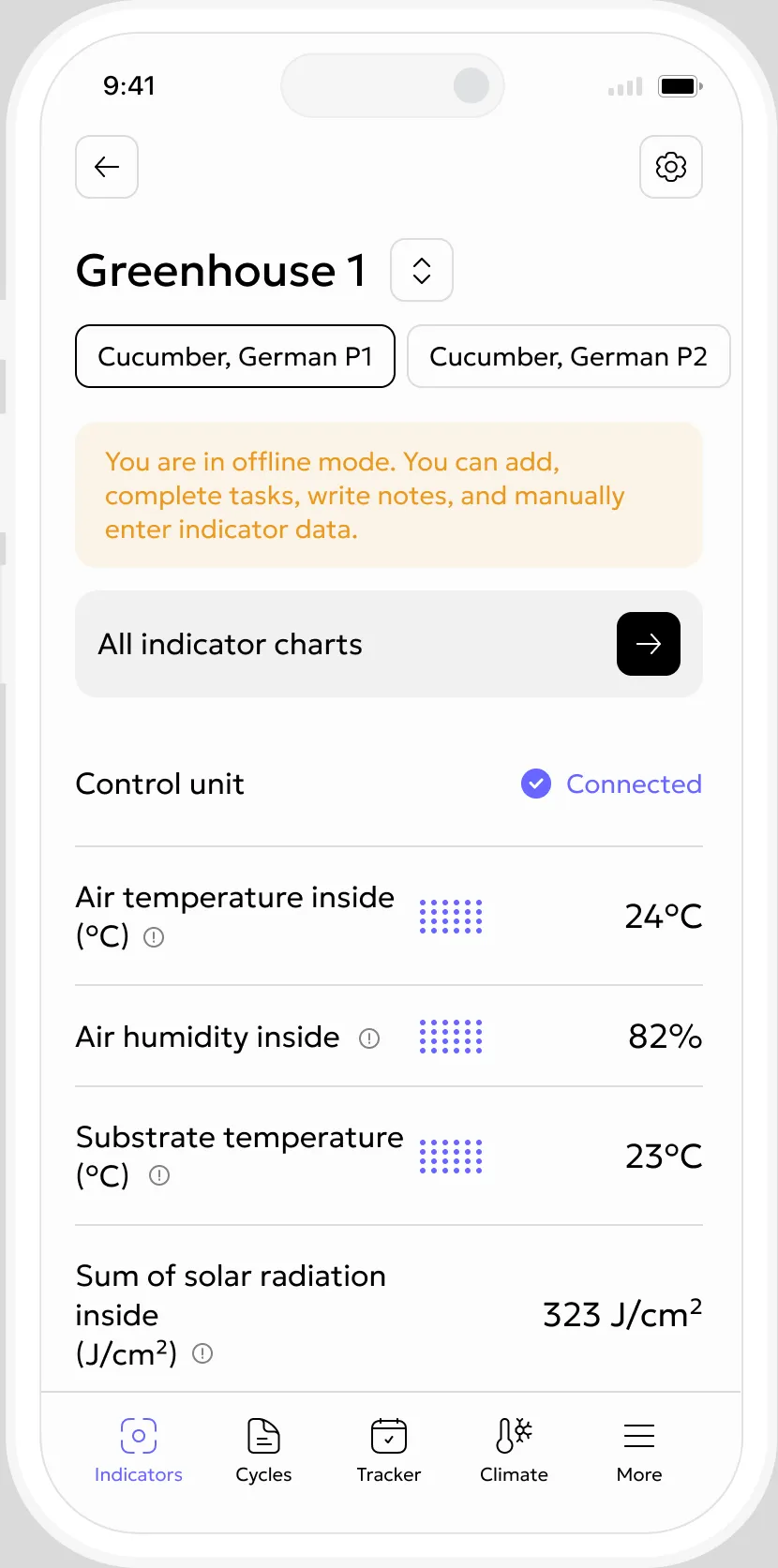
Offline mode
Downloaded tasks stay available offline. Results sync automatically when the connection returns.
Open the farm while online to download the latest tasks to the phone.
Results from the field
Managers can see completion, readings, and reports without calling the worker.
See who completed the task, where, and when.
Add measurements and observations on site, even offline.
Add a short note and photos to document a deviation, damage, or result.
One role, one workspace
No artificial worker limit
Operations does not charge per worker. Management roles are licensed separately.
An interface that is quick to learn
In a few minutes, follow the path from the daily plan to a completed task and field report.
Questions about the app
An administrator sends a one-time sign-in link. After signing in, the worker sees their tasks and the locations available to them.
No. Workers see only the tasks assigned to them and the data needed for their work. Farm settings remain available to owners and administrators.
Yes. Tasks and locations downloaded in advance remain available offline. Changes sync automatically when the connection returns.
Yes. Measurements and observations enabled for manual entry can be recorded directly on site, including while offline.
Add a short report and photos to the task. They stay attached to the recorded work result.
The number of workers in Operations is not limited. Management roles are licensed according to the selected plan.
Any operation that assigns work by location and worker, including greenhouses, orchards, fields, mushroom farms, and vertical farms.
Start with one team
Install the app, invite your team, and move recurring instructions from chat into the system.