
Keeps the production plan separate from daily work
- targets have to be found and copied manually;
- tasks, measurements, and control systems live apart;
- it is difficult to trace which revision produced the result.
A repeatable crop production standard
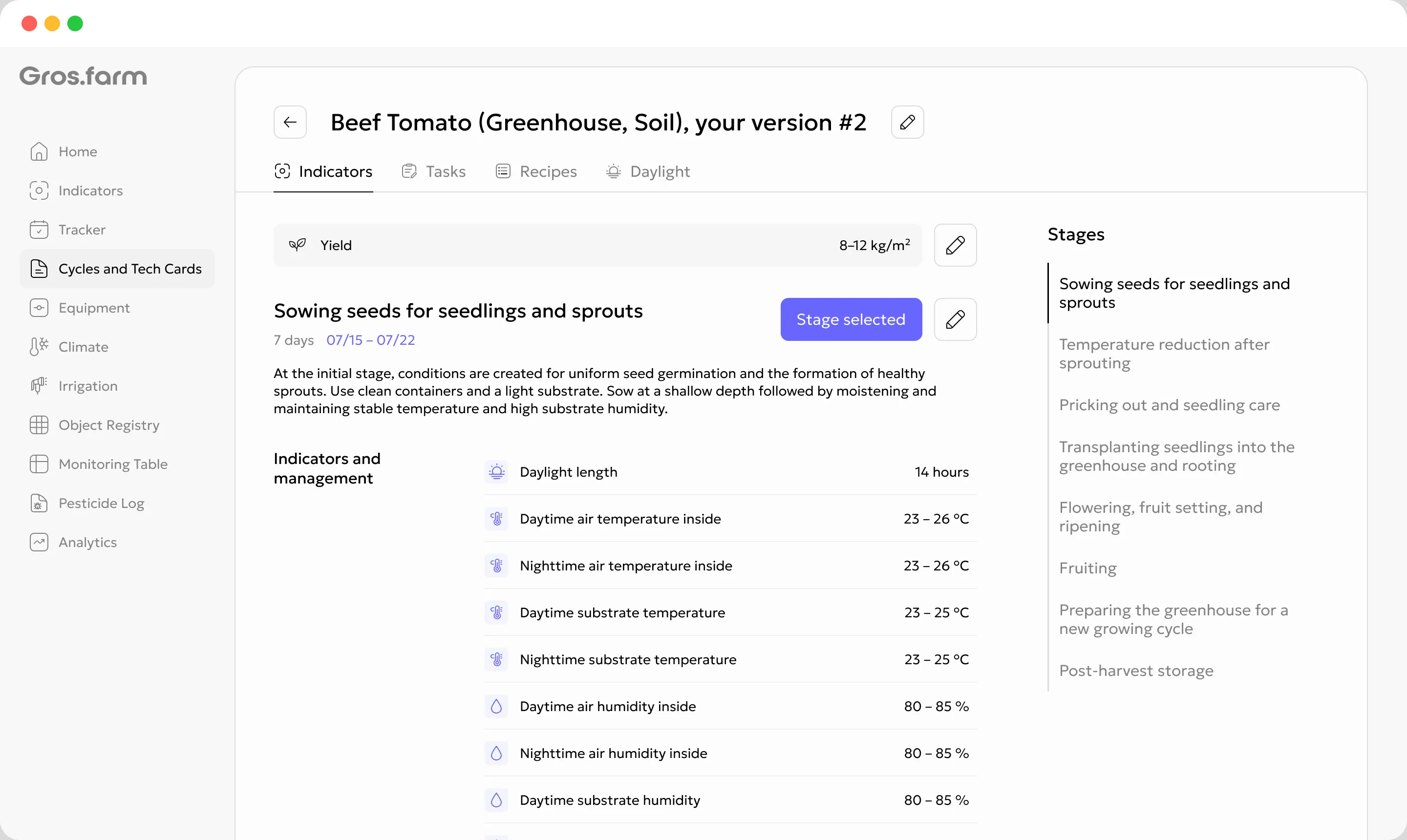
Define stages, target ranges, tasks, recipes, and photoperiod. Gros.farm applies the relevant part of the plan to the current stage and connects it with actual data, team workflows, and available control integrations.
Not a static document
A conventional SOP describes the technology in general. A Gros.farm tech card understands the current stage of a specific cycle and gives every connected workflow the same production context.
In practical terms: a tech card turns production knowledge into clear rules for people, data, and connected equipment.
The stage is the management unit
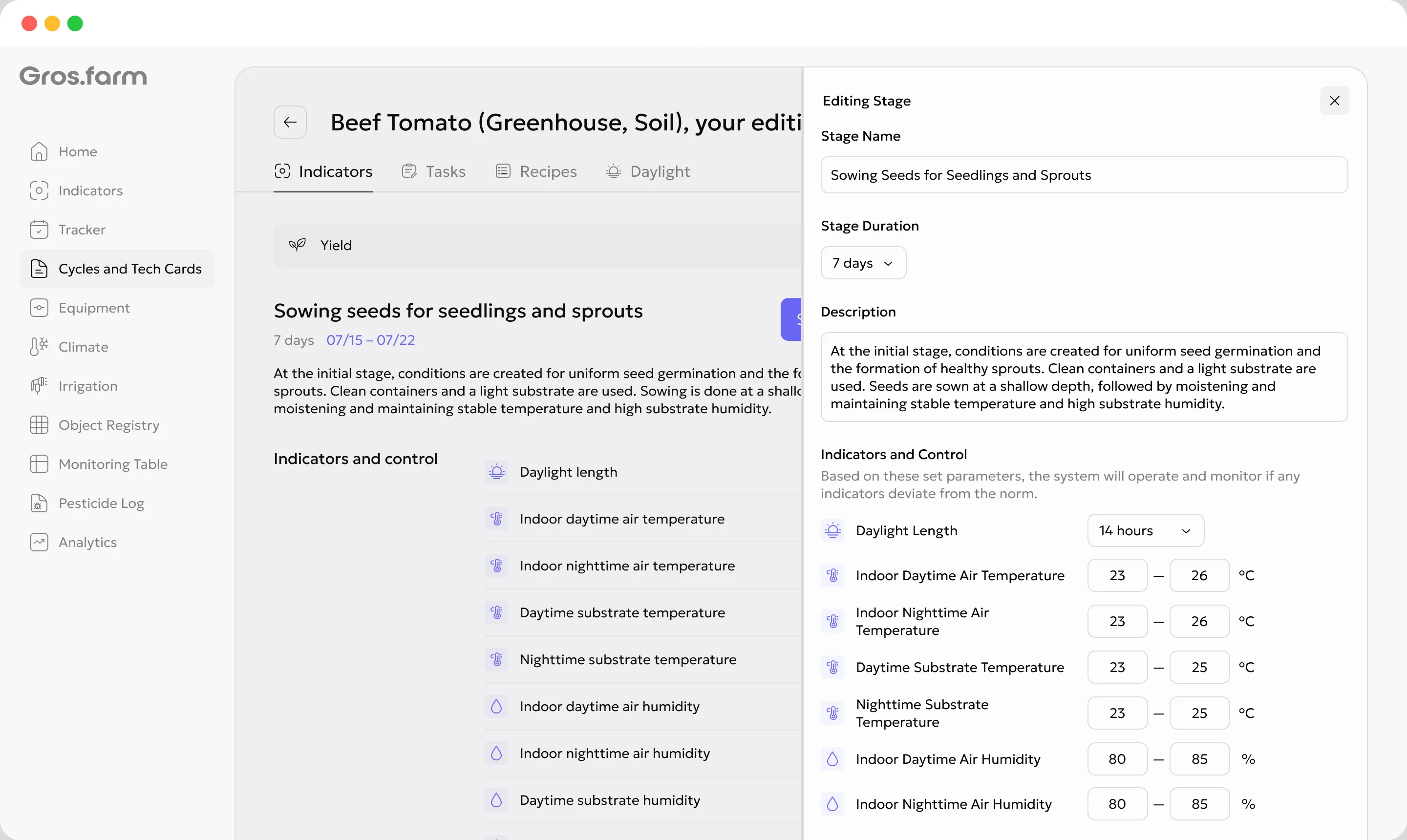
A stage is more than a date on a calendar. It represents the biological state of the crop and the production objective for that period.
When greenhouse tomatoes move from establishment to vegetative growth, target ranges, observation priorities, work, and environment strategy all change.
What each stage contains
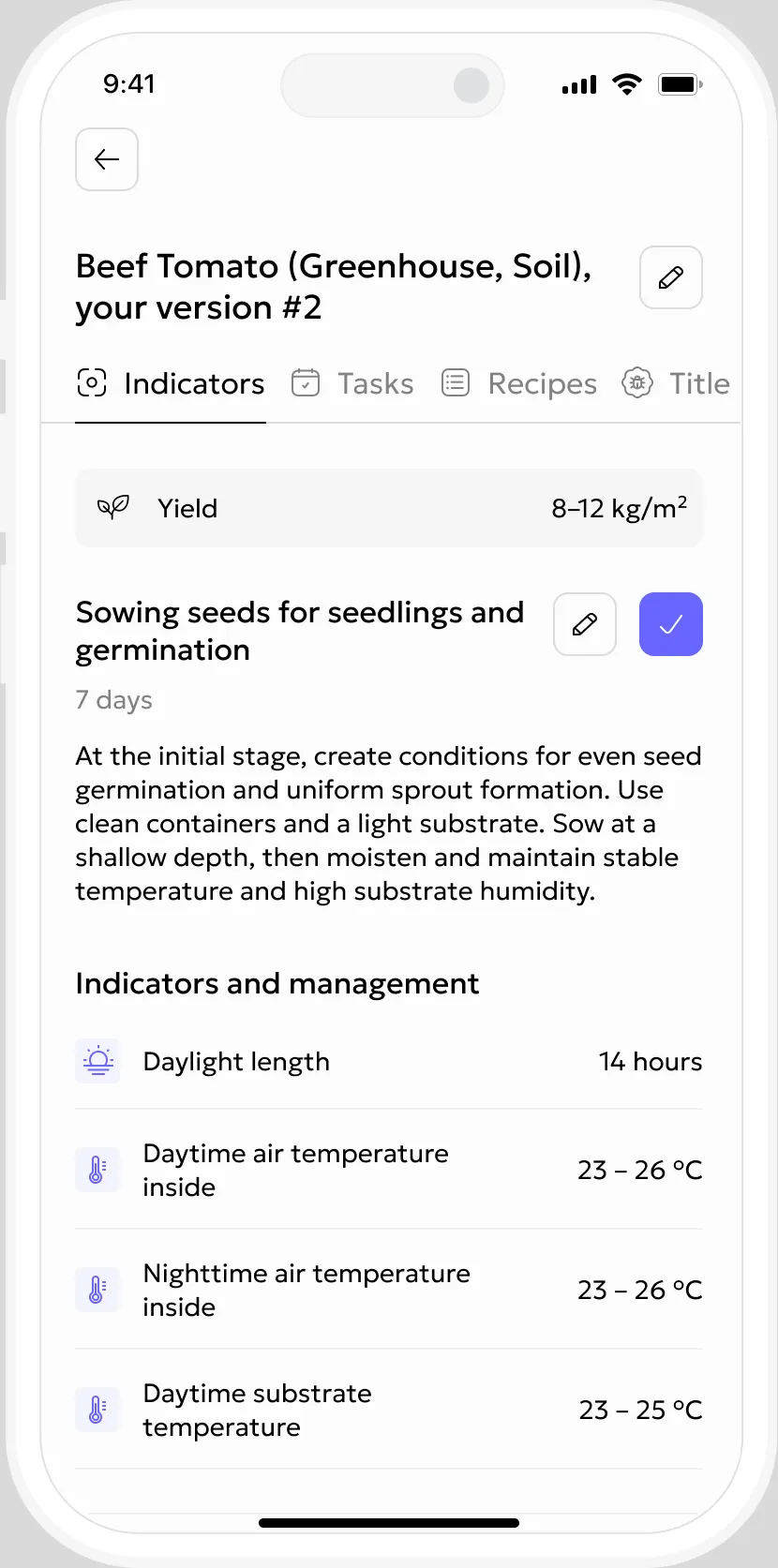
The production specialist defines the stage once. During the cycle, the team sees the part of the technology that is relevant now, without searching old files or revisions.
Target values and ranges for output, crop status, and growing conditions.
Stage-specific work, timing, and instructions that can be assigned to the team.
Production recipes and operating sequences that belong to the stage.
The stage-specific light schedule and lighting strategy when used by the operation.
One production standard across the system
The tech card does not measure climate or switch equipment by itself. It defines what the cycle needs now, while each connected function performs its own role.
Relevant work, instructions, due dates, and responsibility for the current stage.
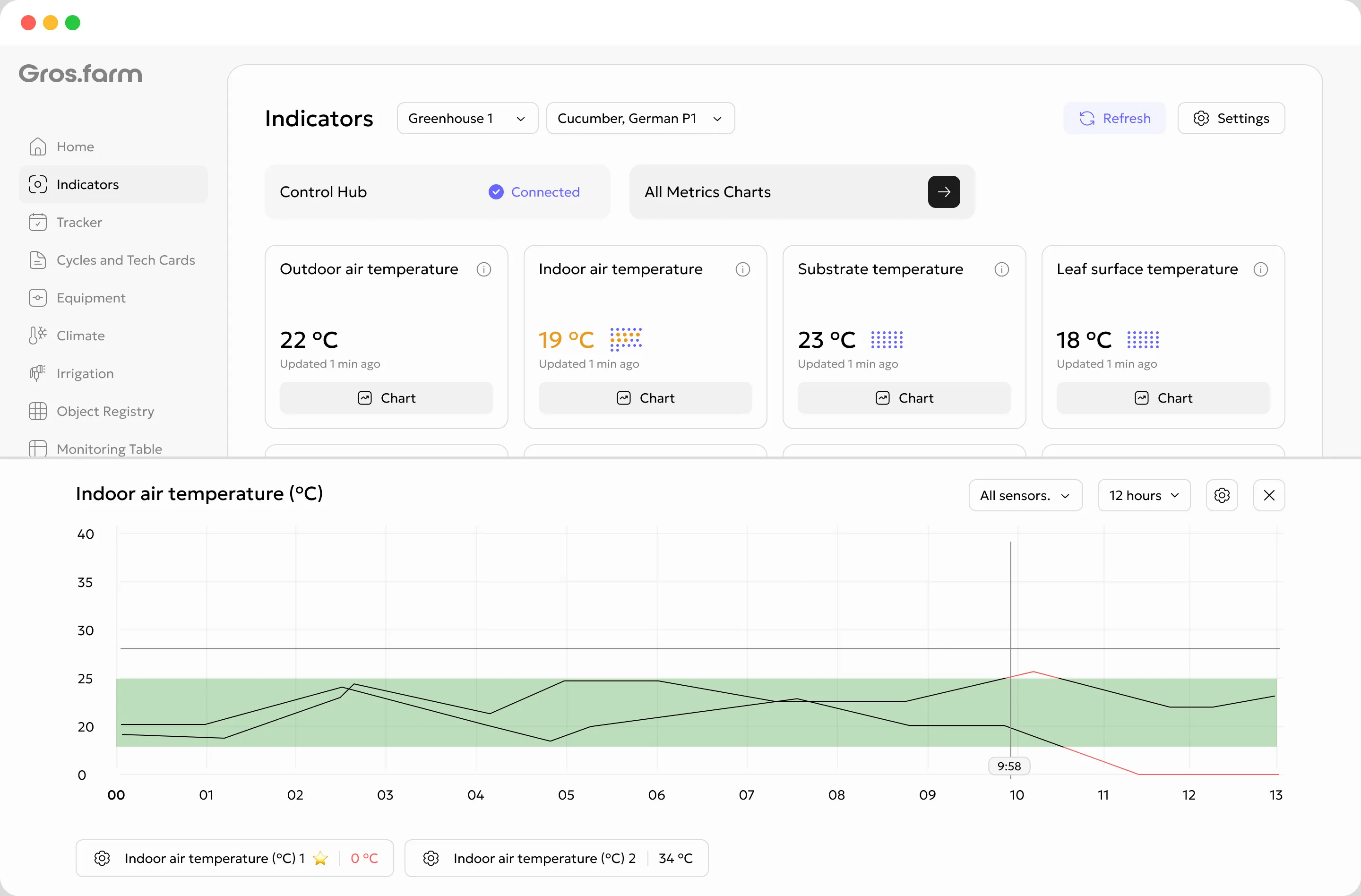
Actual observations, photos, and values viewed against the targets for this stage.
Plan versus actual, deviations, and events in the chronology of the growing cycle.
Configured control modules can use stage targets when a suitable integration is available.
Uses cycle structure to help investigate patterns and hypotheses in accumulated data.
You do not have to start from a blank page
Start with a public, expert, or internal template. Every crop plan must still be validated under the conditions of the specific facility and market.
Select a public, expert, or internal template for the relevant crop and production method.
Refine stages, targets, tasks, and operating modes for the facility and production objective.
Apply that revision to a specific crop cycle at a selected facility or production zone.
Compare the plan with the result and create the next revision of the production standard.
Adapt it to the cultivar or strain, facility, season, equipment, market requirements, and production objective, then refine it with evidence from your own cycles.
The production plan becomes measurable
Define stage-specific target values or ranges. Gros.farm compares them with manual observations and data available from connected sources.
Connection with local control systems
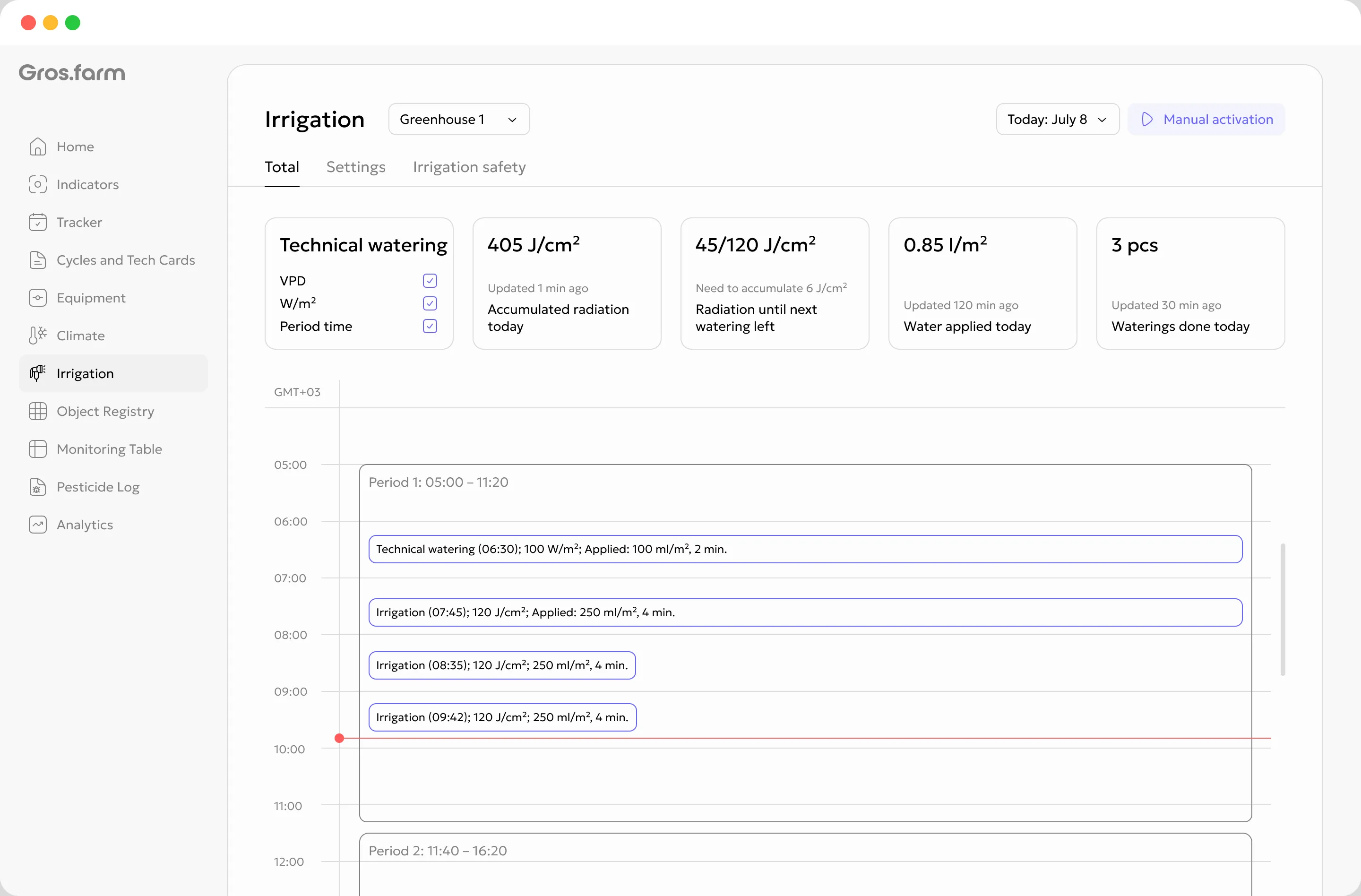
With a configured integration, Gros.farm control modules can use targets from the current stage. Commands are passed to the local control layer, which remains responsible for safe, reliable equipment operation at the facility.
The platform adds crop-production context above the existing local automation layer.
Different crops, one management model
Digital crop plans support different growing technologies. Each plan contains only the stages, targets, and actions that the production system actually needs.
Establishment → vegetative growth → flowering → fruiting
Colonization → cooling → pinning → harvest flushes
Production knowledge stays with the company
Tech-card revisions and actual cycle history remain available for comparison, rollout to new facilities, and onboarding of new team members.
Teams across facilities work from the same clear production structure.
Past and current cycles can be compared at equivalent stages.
Production knowledge does not disappear when a specialist or team changes.
Connected models receive a structured context: crop, facility, stage, targets, actuals, and events. This can help investigate patterns and formulate hypotheses, while production decisions remain with the responsible specialist.
Digital crop plan questions
It is a working model of the production technology: a sequence of stages with duration, target metrics, tasks, recipes, and photoperiod. A selected revision is applied to a specific growing cycle and provides the context for its current stage.
A file stores instructions separately from production. In Gros.farm, the current stage can be connected with tasks, monitoring, analytics, and, when configured, control modules. Actual cycle history remains beside the crop-plan revision.
Yes. Start with stages, tasks, manual observations, and target values. Add sensors, data sources, and local automation later when they support a specific production requirement.
The next stage’s targets, tasks, recipes, and settings become relevant for the cycle. Automatic application of parameters depends on the configured control module and connected equipment.
Yes. Start from a public, expert, or internal template and create your own revision. Validate and adapt it for the crop, cultivar or strain, facility, season, equipment, market requirements, and production objective.
Yes. Instead of plant-development phases, define the stages of a mushroom production cycle, such as colonization, cooling, pinning, and harvest flushes, together with their climate targets and team activities.
The primary purpose of a Gros.farm tech card is to manage the growing process by connecting stages, targets, actions, and actual production data. It is not merely a cost-calculation form or a static SOP.
From SOP to daily production management
See how to build a digital crop plan around your crop, team, available data, and existing automation.