OWEN integration
The OWEN integration links an available local control node and its equipment to a Gros.farm facility. Once connected, the equipment can provide data for the facility’s metrics.
What happens before connection in the interface
Before the node can be used in Gros.farm, an engineer must physically install and configure the OWEN control node at the facility. The node’s identification and configuration data is then submitted for infrastructure registration and provisioning. Once registered, the node is associated with the required organization account and becomes available in Gros.farm.
Linking the node in Gros.farm
Only after the infrastructure setup is complete can the user select the available node, compare its MAC address, and specify the equipment zones that belong to the facility and match the physical connection design.
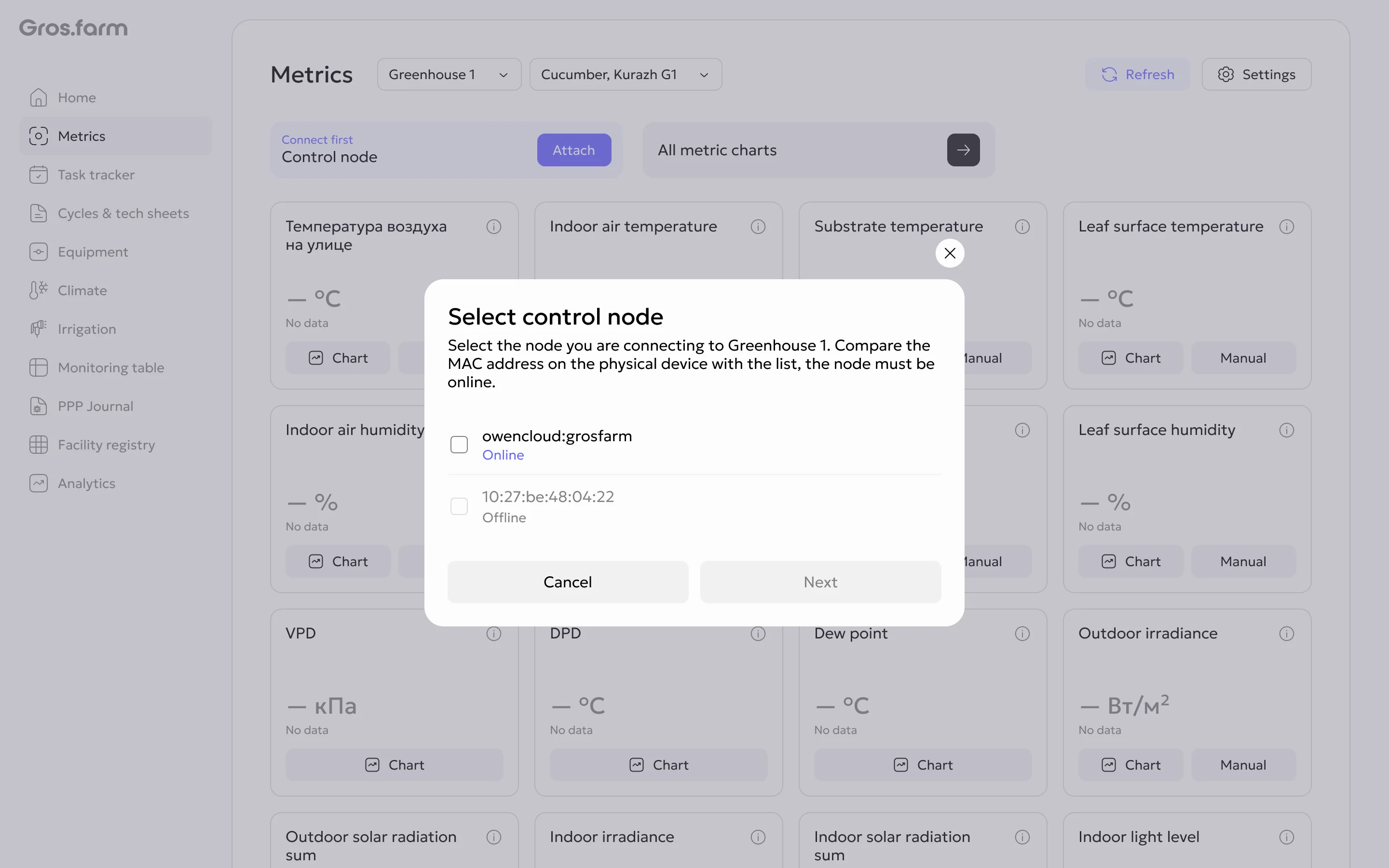
What is available after connection
- viewing equipment connected to the node;
- linking equipment zones to the facility;
- linking sensors to the required metrics and production context;
- using received values in Gros.farm metrics.
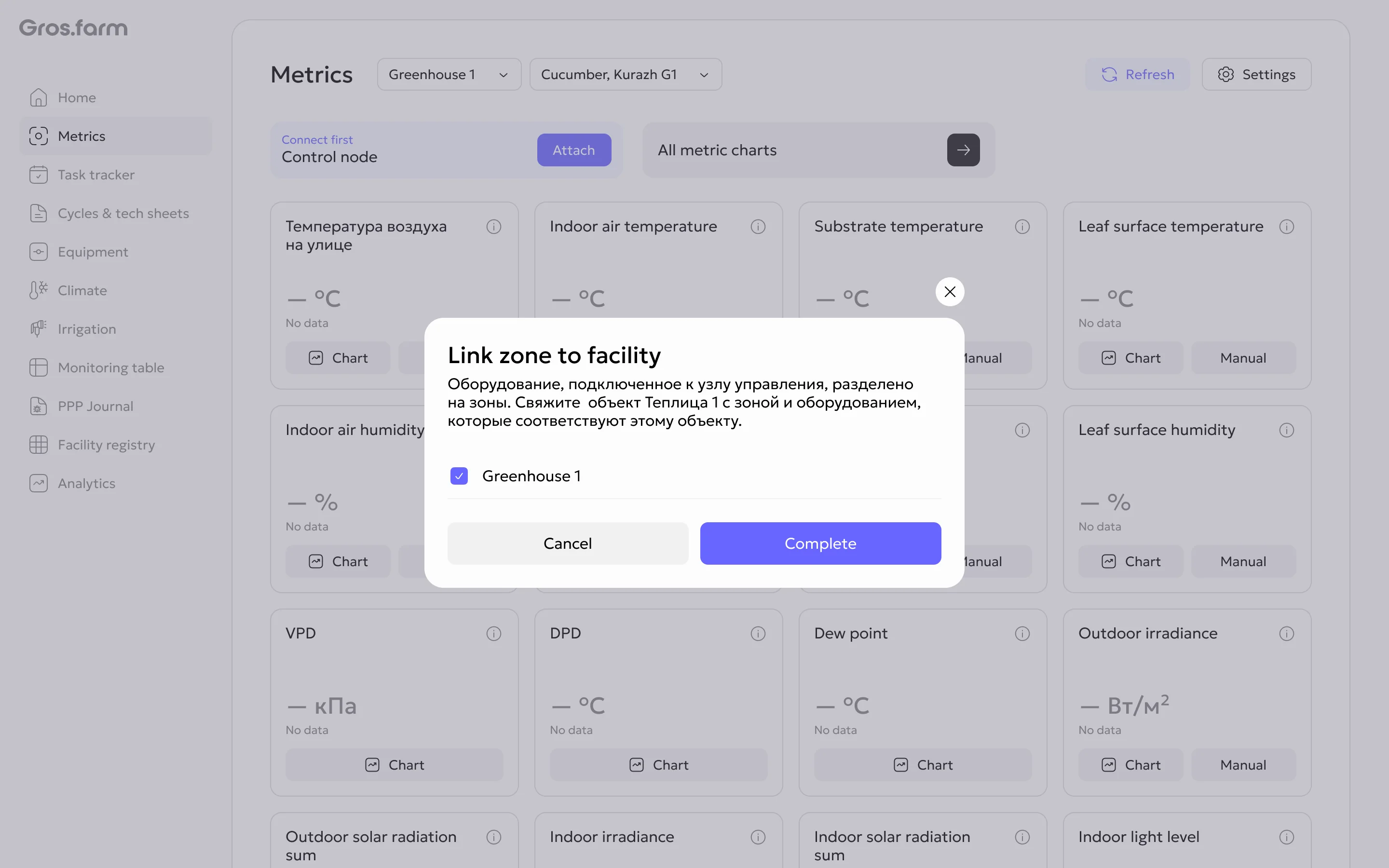
Gros.farm does not replace local automation, PLCs, or SCADA. Compatibility with specific equipment depends on the control node, protocol, and connection design and must be confirmed before installation.
For step-by-step instructions, see How to connect OWEN to a facility.