How to connect OWEN to a facility
Before you begin
A control node cannot be added to the system using only the user interface. First, an engineer must physically install and configure the OWEN node at the facility. The node’s identification and configuration data is then submitted for infrastructure registration and provisioning. Once registered, the node is associated with the required organization account and becomes available for selection in Gros.farm.
Select a control node
- Open Metrics.
- Select the facility to which you want to connect the equipment.
- In the Control node card, select Attach.
- Select the OWEN node that connects to the facility.
- Compare the MAC address in the list with the address on the physical device. The node must be online.
- Select Next.
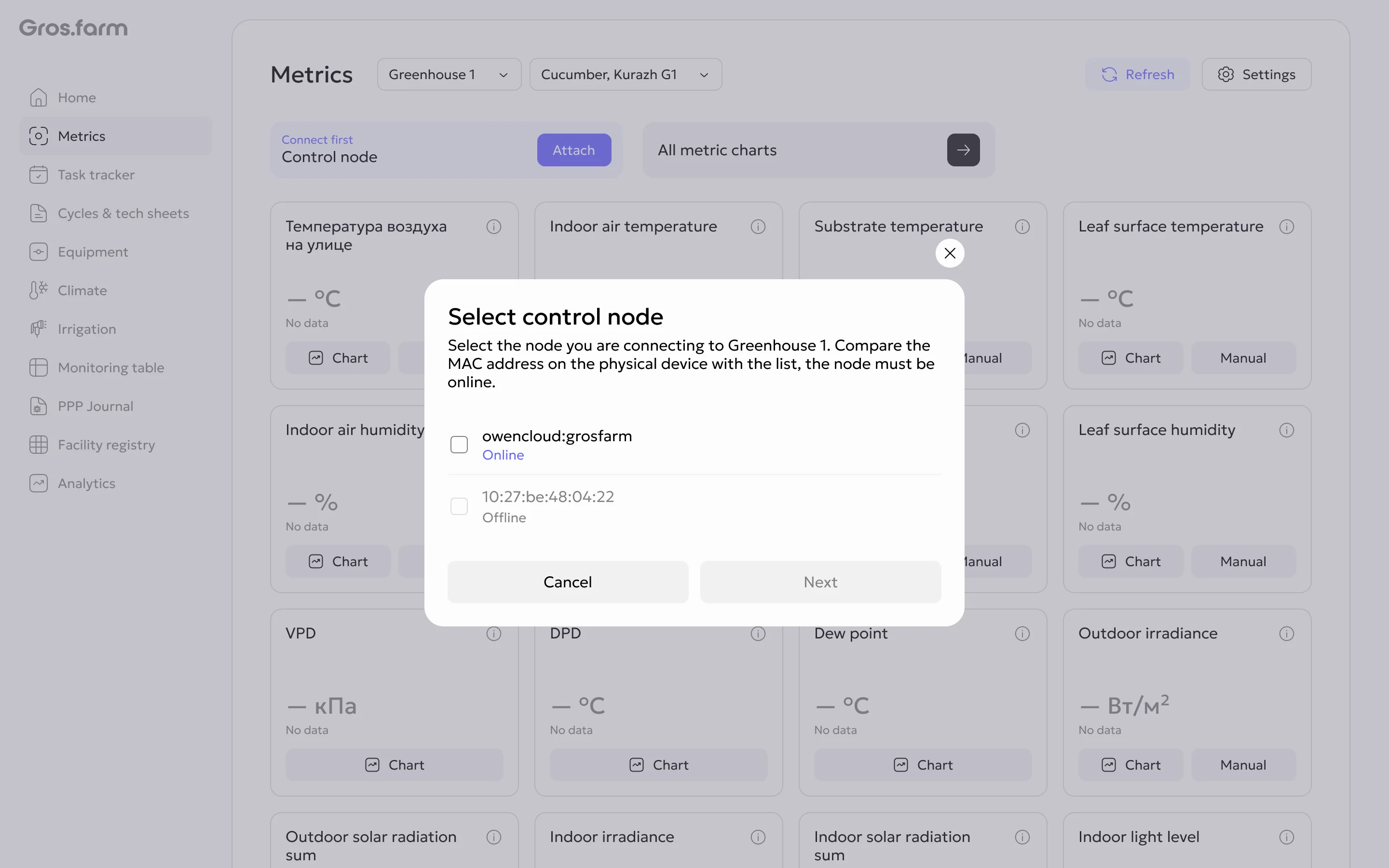
Select a connection zone
- Select the zone containing the equipment that belongs to the chosen facility.
- Select Complete.
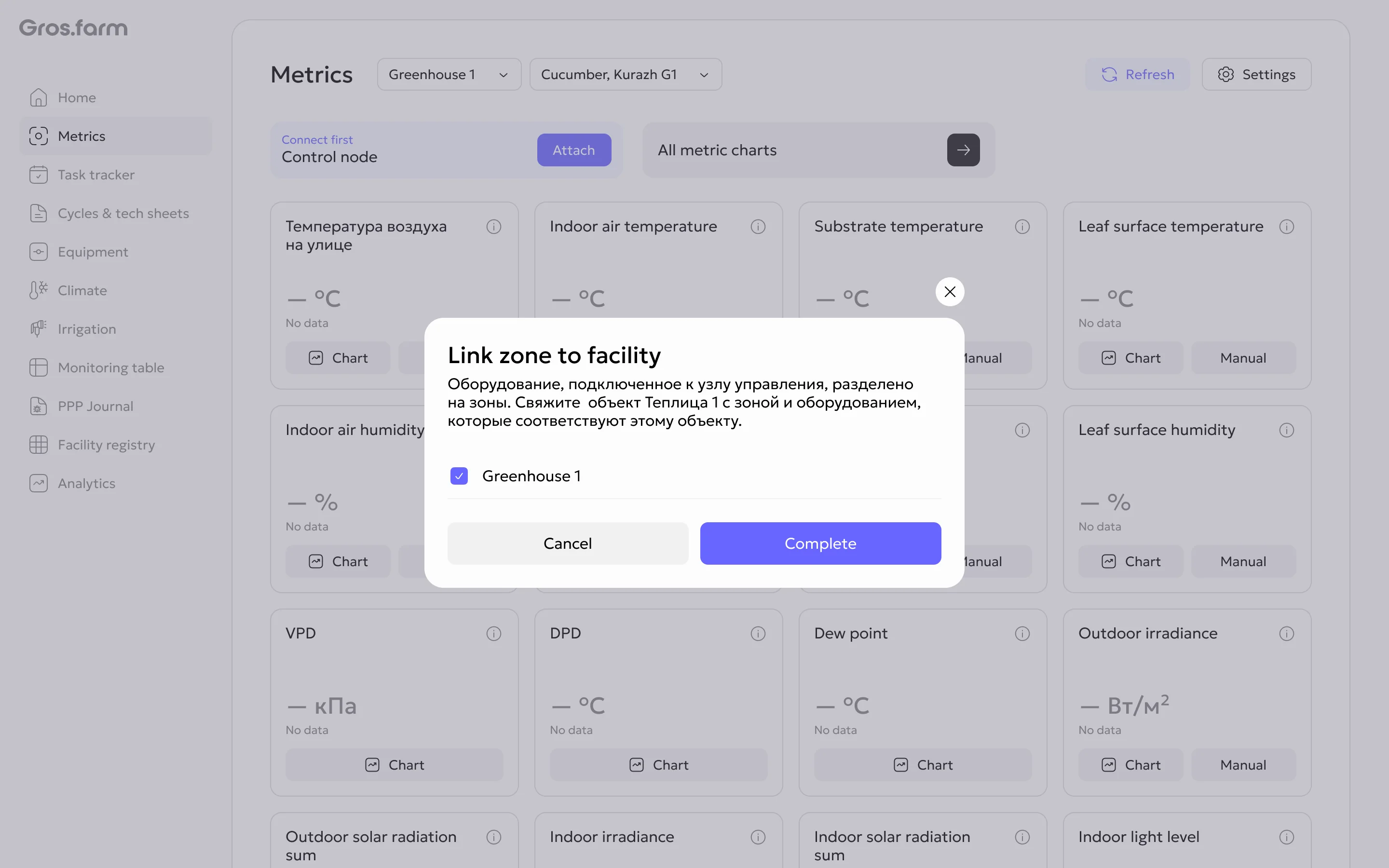
After connection, link the sensors to the corresponding facility metrics when needed. The same measurement type can belong to different facilities or sections, so check the production context.