Cultivation plans
A cultivation plan describes a repeatable process for growing a crop. It contains stages, target metrics, tasks, recipes, photoperiod, and parameters that can be used in monitoring and automation.
Cultivation stages
Each stage has its own production context. When moving between stages, the following may change:
- target ranges for metrics;
- day and night targets;
- tasks and instructions;
- recipes and photoperiod;
- climate parameters and other automation scenarios.
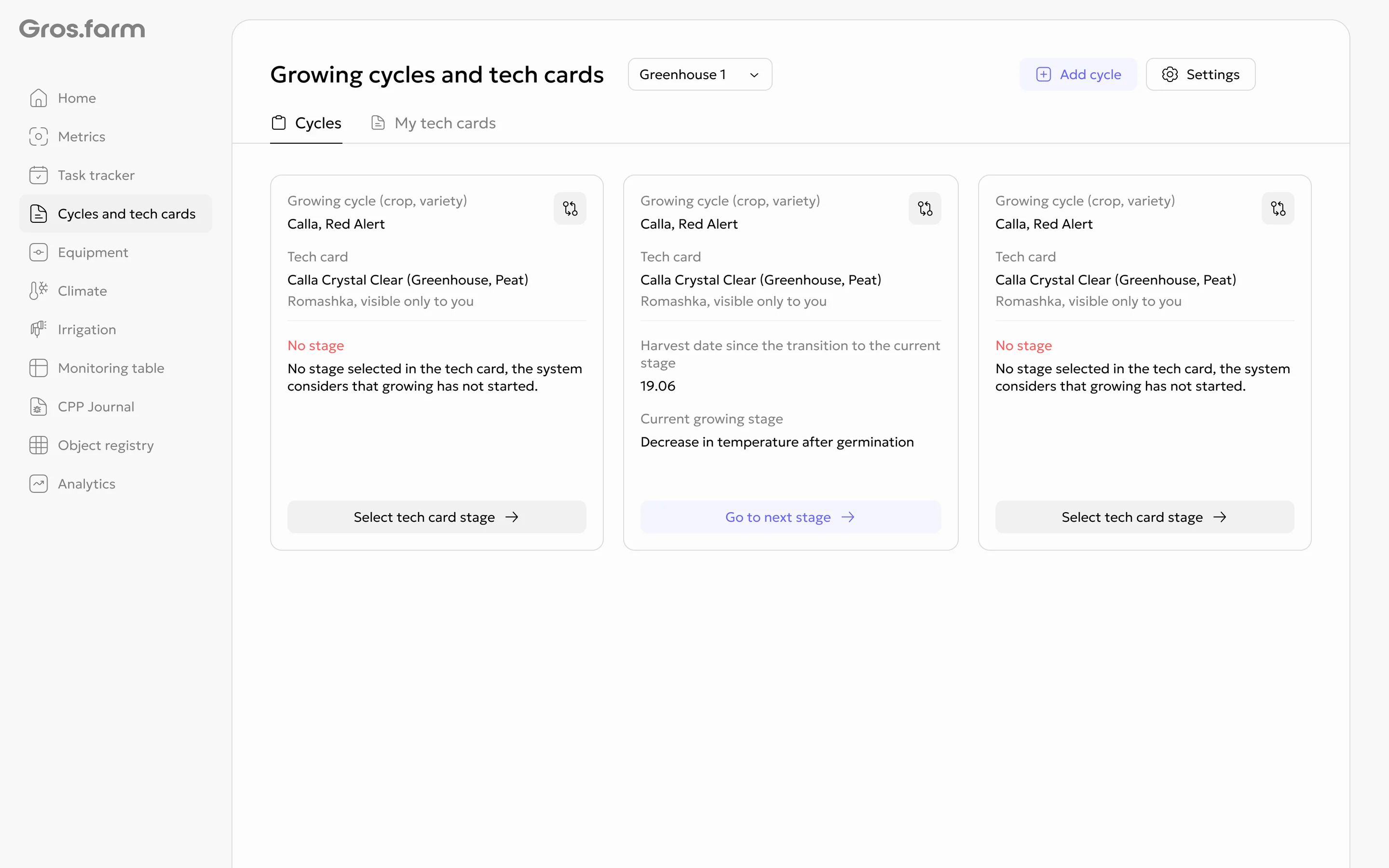
If no cultivation plan stage is selected for a cycle, the system considers that growing has not started yet and prompts you to select a stage.
Templates and organization plans
A ready-made cultivation plan can be used as a starting point. Before use, it must be reviewed and adapted to the facility, crop, variety, equipment, and farm goals.
An edited cultivation plan becomes an internal organization asset and can be reused in future growing cycles.
Custom cultivation plans
An organization can create a private cultivation plan from scratch or make an independent copy of an available template. Custom plans are available company-wide under My cultivation plans, regardless of the selected greenhouse. The section shows where each plan is used in active cycles.
Creating a custom cultivation plan
When selecting a plan for a facility or a new cycle, choose Create your own. Enter a plan name and add at least one stage. Each stage requires a name and duration; descriptions, metrics, tasks, recipes, photoperiod, and instructions can be added immediately or later.
Changes and deletion
A custom plan is a shared live version. Saved changes apply to all active cycles that use it. Only owners and administrators can delete a plan. Deletion unlinks it from active cycles without deleting the cycles or their data; the affected cycle then shows No cultivation plan selected.
Owners, administrators, and experts can create, edit, and copy plans. Employees do not have management actions.
Step-by-step guide: Create and manage a custom cultivation plan.
Connections with other modules
- the growing cycle determines which cultivation plan is currently in use;
- tasks turn production operations into team assignments;
- metrics and analytics compare actual data with stage targets;
- climate and irrigation can use confirmed parameters as targets or settings.
A cultivation plan does not replace a professional technology review: template values are not universal recommendations for every farm.