PPP Journal
The PPP Journal is used to record plant protection product treatments. You can create, view, edit, and delete treatment records.
Records are available in three views:
- the PPP Journal list;
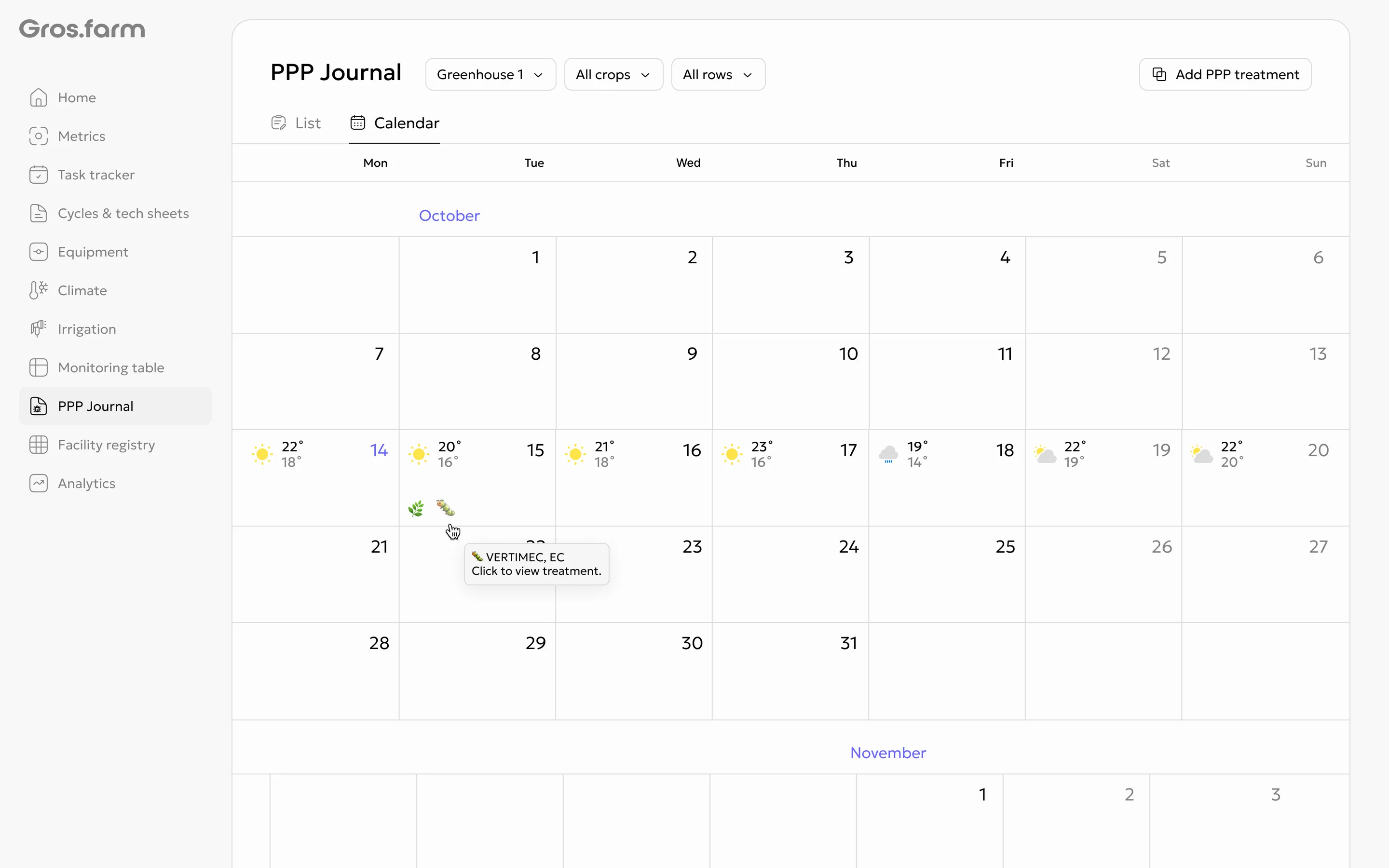
- the treatment calendar;
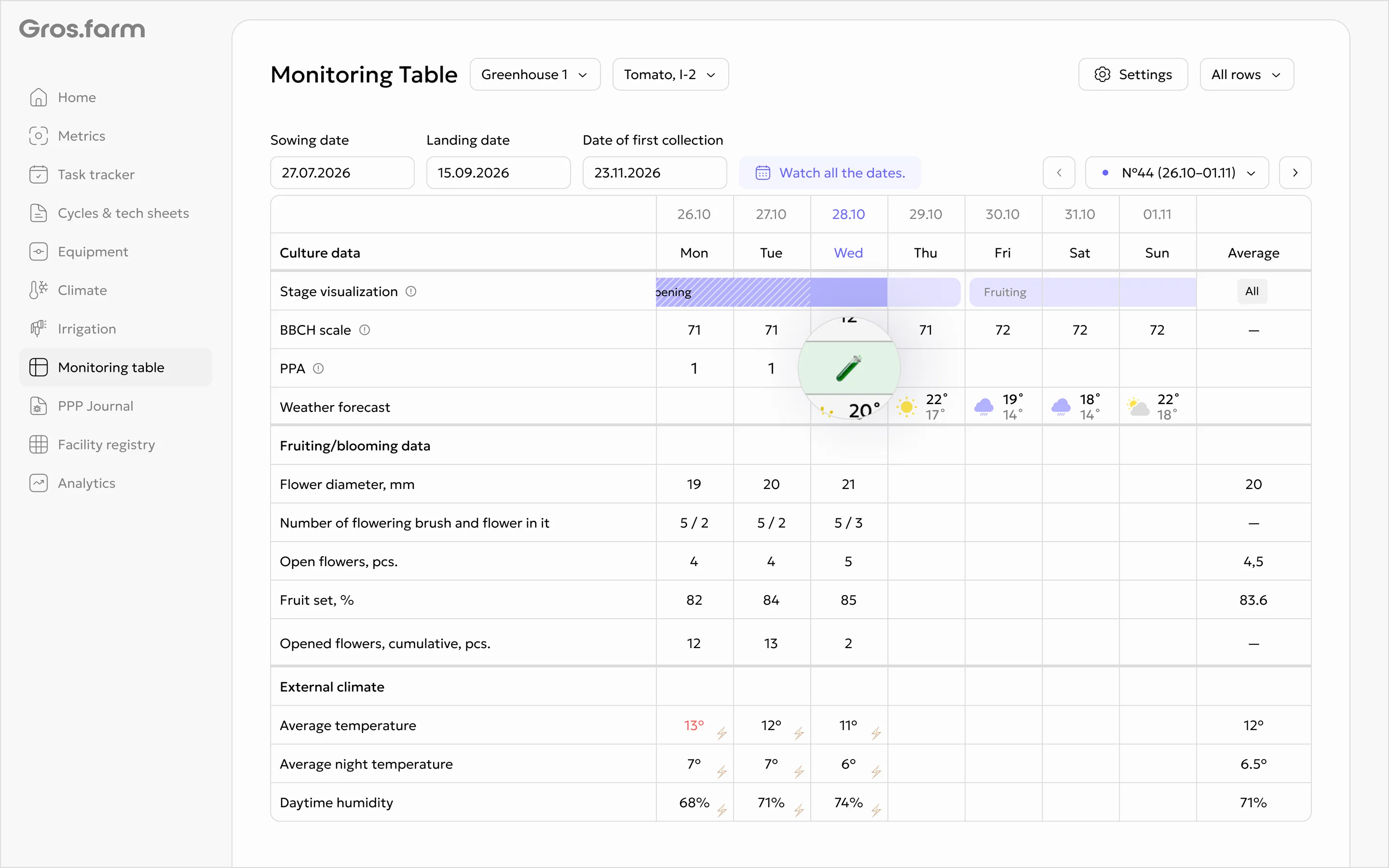
- a separate PPP row in the Monitoring table.
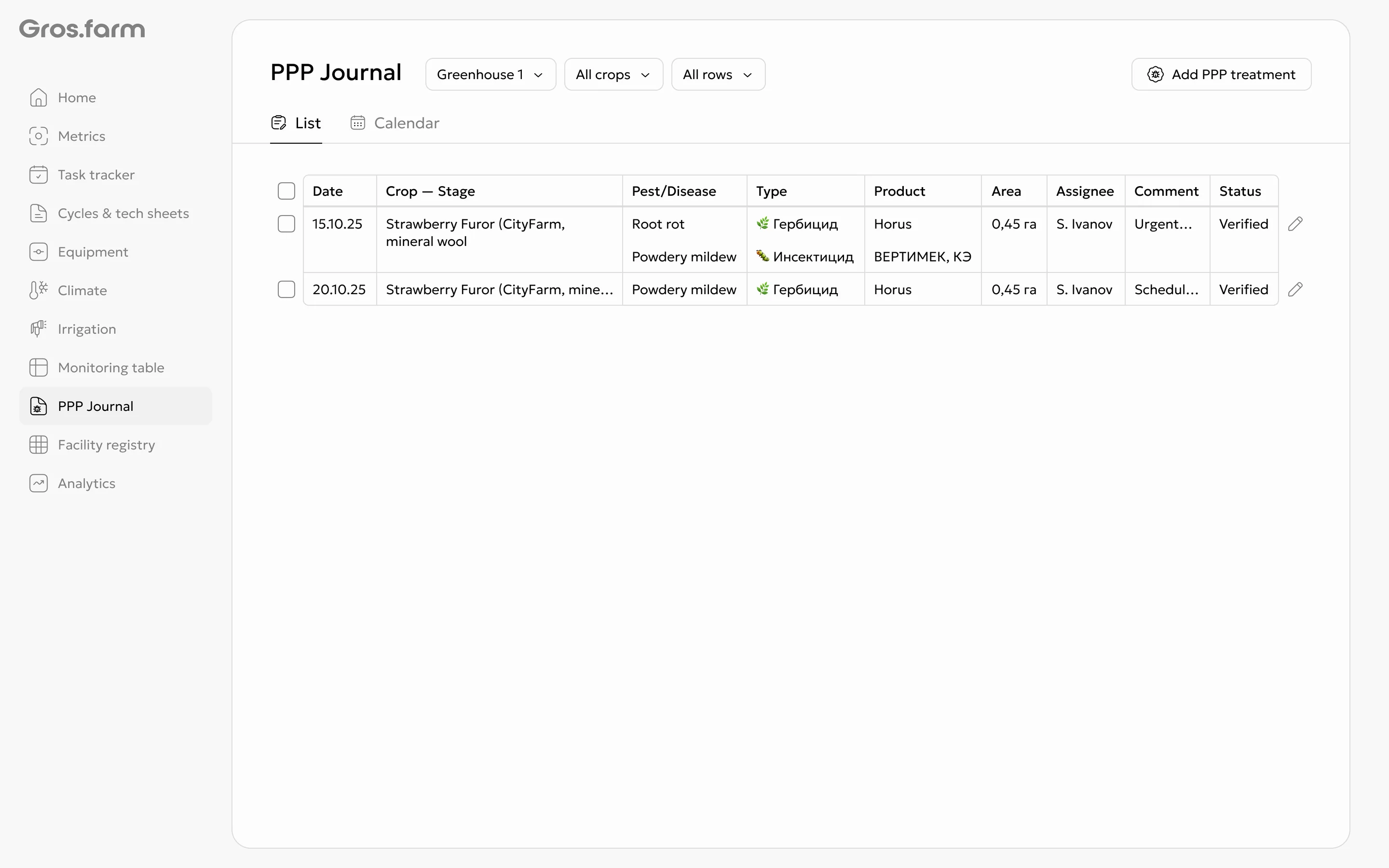
Search and views
The journal can be viewed as a list or calendar. Use the production site, crop, and row filters to find a treatment.
In the calendar, hover over a treatment to see a short summary. Select the event to open the full record.
Treatment record
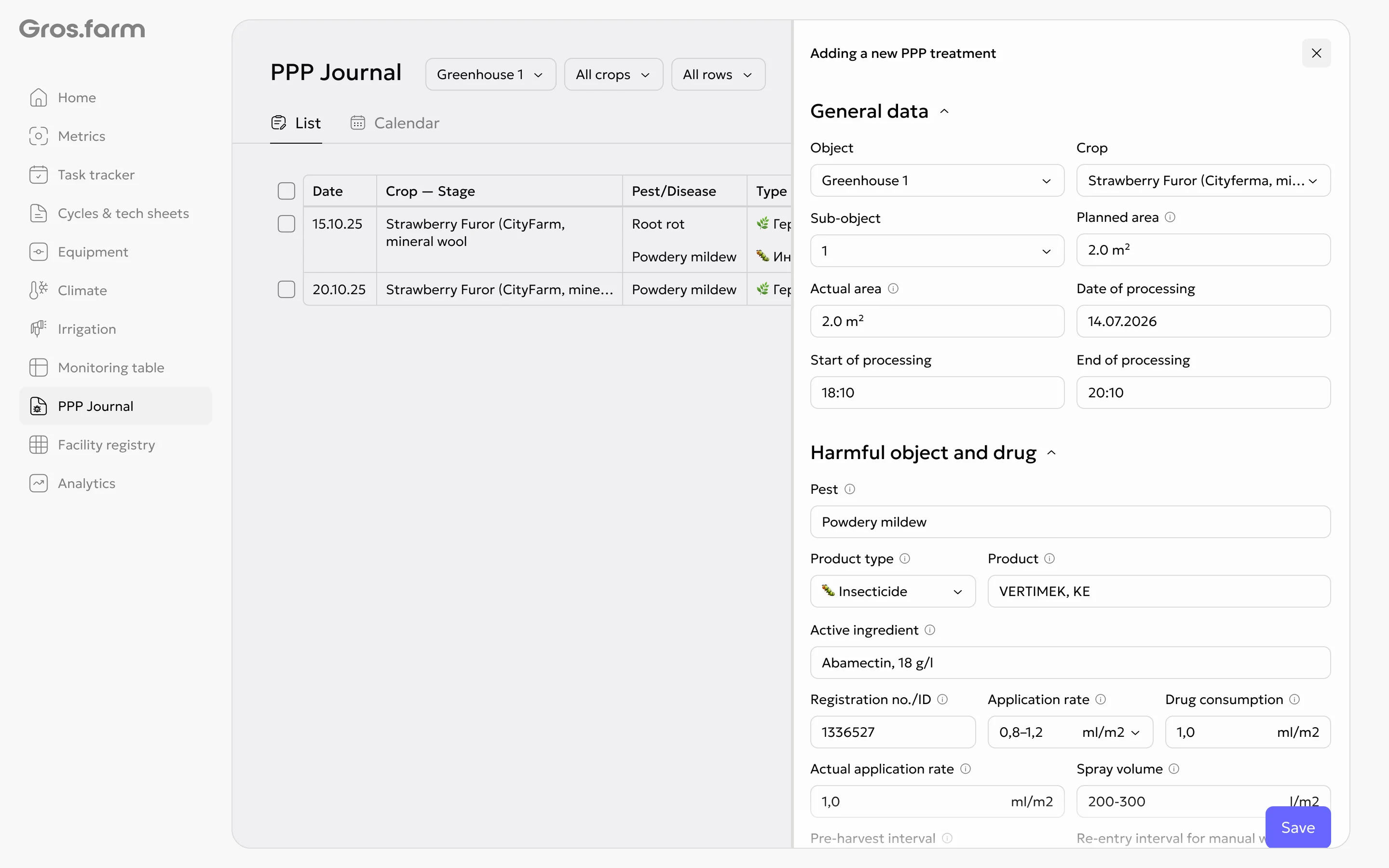
A record opens in the PPP treatment details side panel. Its fields are grouped into:
- General details;
- Pest and product;
- Conditions and equipment;
- Safety and regulations;
- Traceability;
- Additional information.
One treatment can include several pests, products, and product types. The same product cannot be added twice under exactly the same name.
Planned and actual data
A record can include the planned and actual treatment area. The actual application rate is calculated automatically:
product consumption ÷ actual area
GPS data and sprayer calibration details are optional.
Connection with the Monitoring table
A treatment appears on the corresponding date in a separate PPP row in the Monitoring table. Selecting the row opens the same treatment record.
The row shows pests and products in a compact format. If more items are
available than can fit, the remaining items are shown under a +N label.
Access rights
Owners, administrators, and experts can create, edit, and delete records. Users with the employee role can view records but cannot edit them.
For step-by-step instructions, see How to work with the PPP Journal.