How to check lighting operation on the overview page
Before you begin
Viewing the overview page and using manual control require the Expert role or higher. Select a greenhouse where lighting is already configured and linked to an available local control node.
1. Select a greenhouse and date
- Open Lighting and select the Overview tab.
- Select the required greenhouse.
- Select today or a past day. Future dates are unavailable.
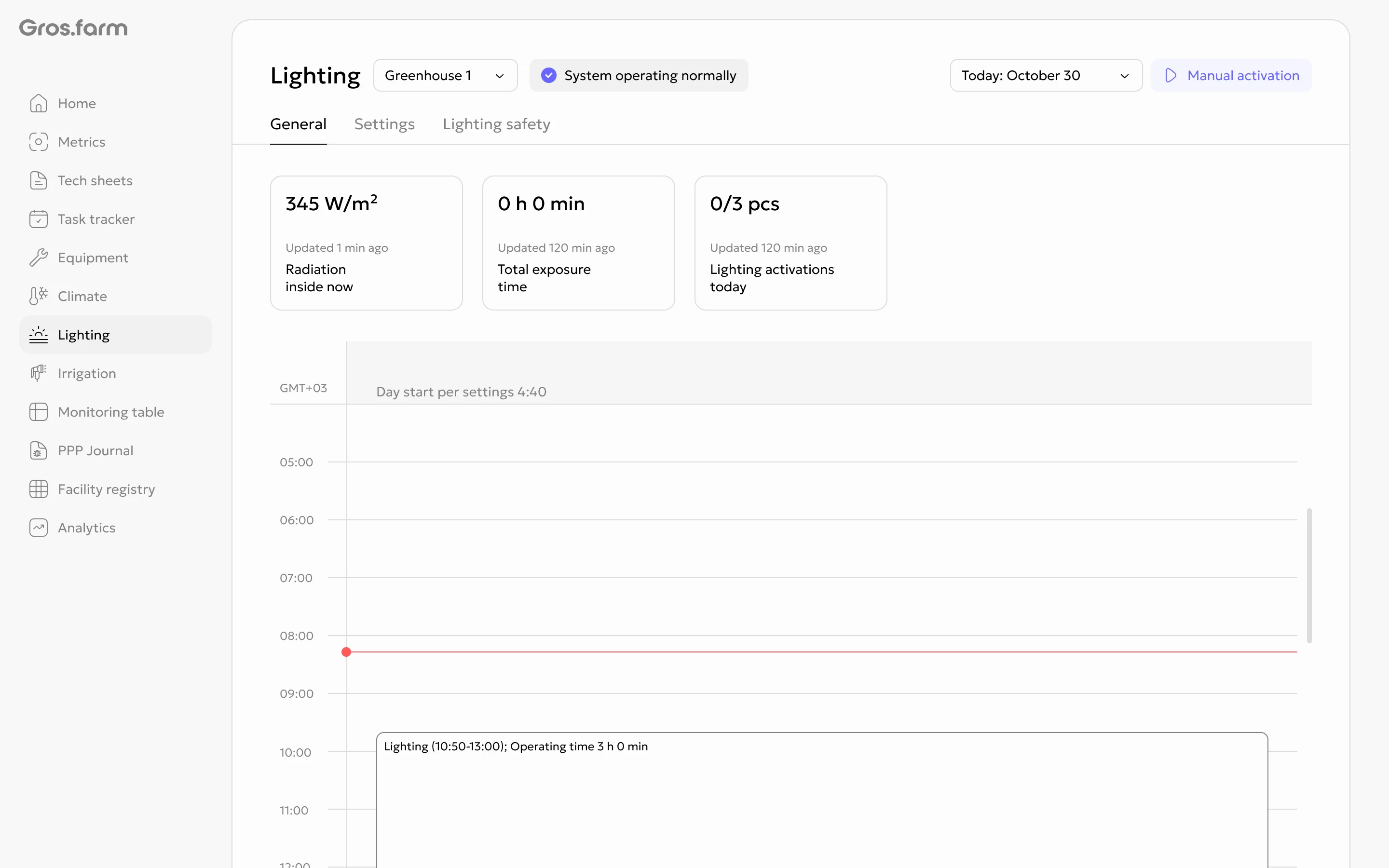
The current system state appears at the top of the page. If it does not match the actual situation at the facility, do not send manual commands; check the lighting together with the responsible specialist.
2. Review the day’s indicators
The summary cards depend on the active mode and available data:
- for schedules, they show radiation, total operating time, and the known number of starts;
- for PPFD or current irradiance, they show the indicator, target, operating time, and actual starts;
- for accumulated radiation, they show the accumulated value and supplemental lighting planning state.
If a data source is unavailable, its related card may not contain a value. Consider the indicators together with their last update time.
3. Compare the plan with actual operation
The timeline displays:
- known schedule slots and calculated automatic supplemental lighting;
- monitoring periods and starts based on PPFD or irradiance conditions;
- actual manual operating intervals;
- lighting Safety periods.
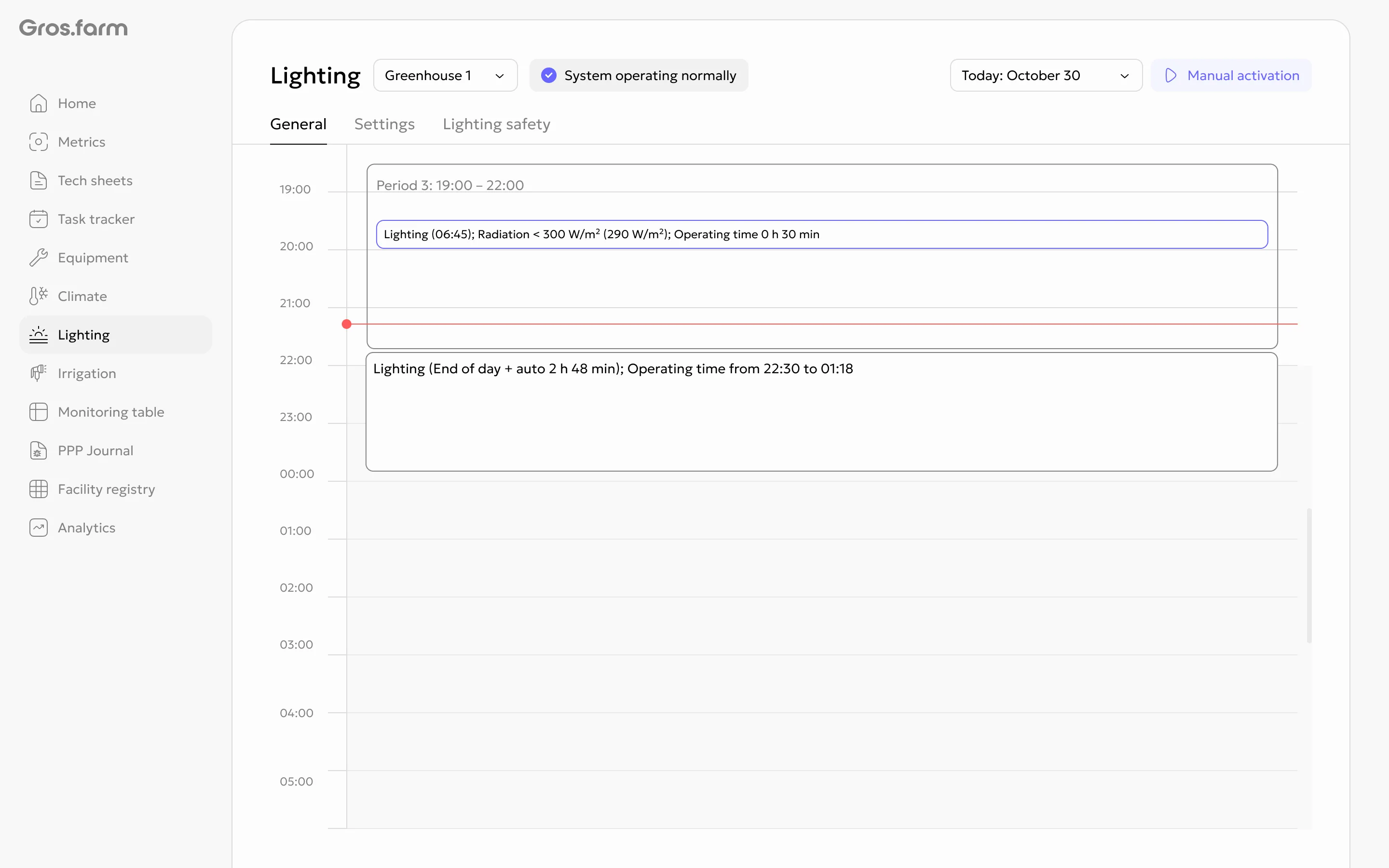
For the current day, planned intervals appear in advance. While lighting is running based on a sensor condition, its final duration may be unknown. After it turns off, the system shows the actual operating time. For a past day, use the stored actual intervals.
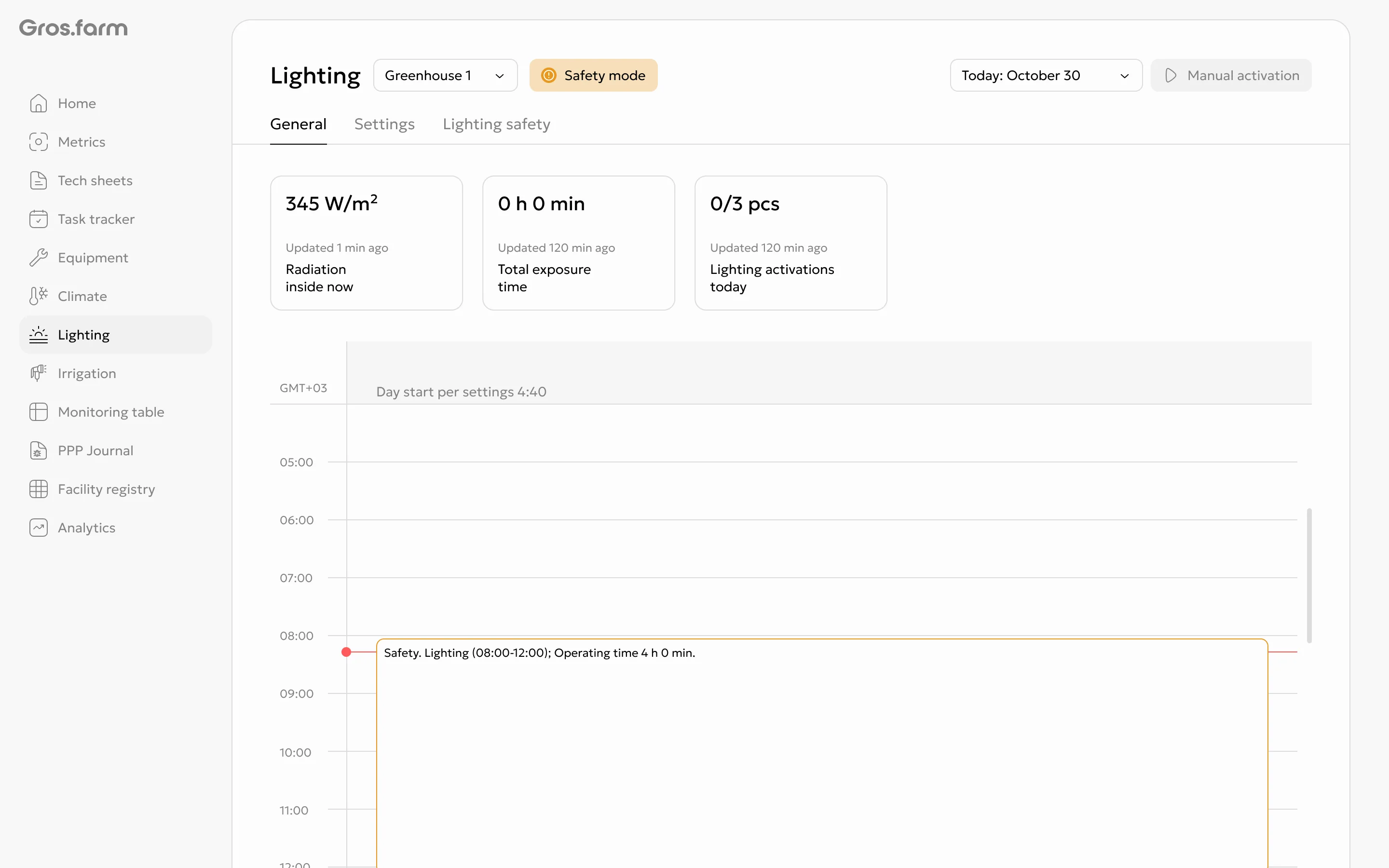
4. Use manual control only when necessary
- Confirm that the correct greenhouse is selected, lighting is enabled in the system, and the local node is online.
- Select Manual on and set the operating duration.
- To end an active manual start early, use Manual off.
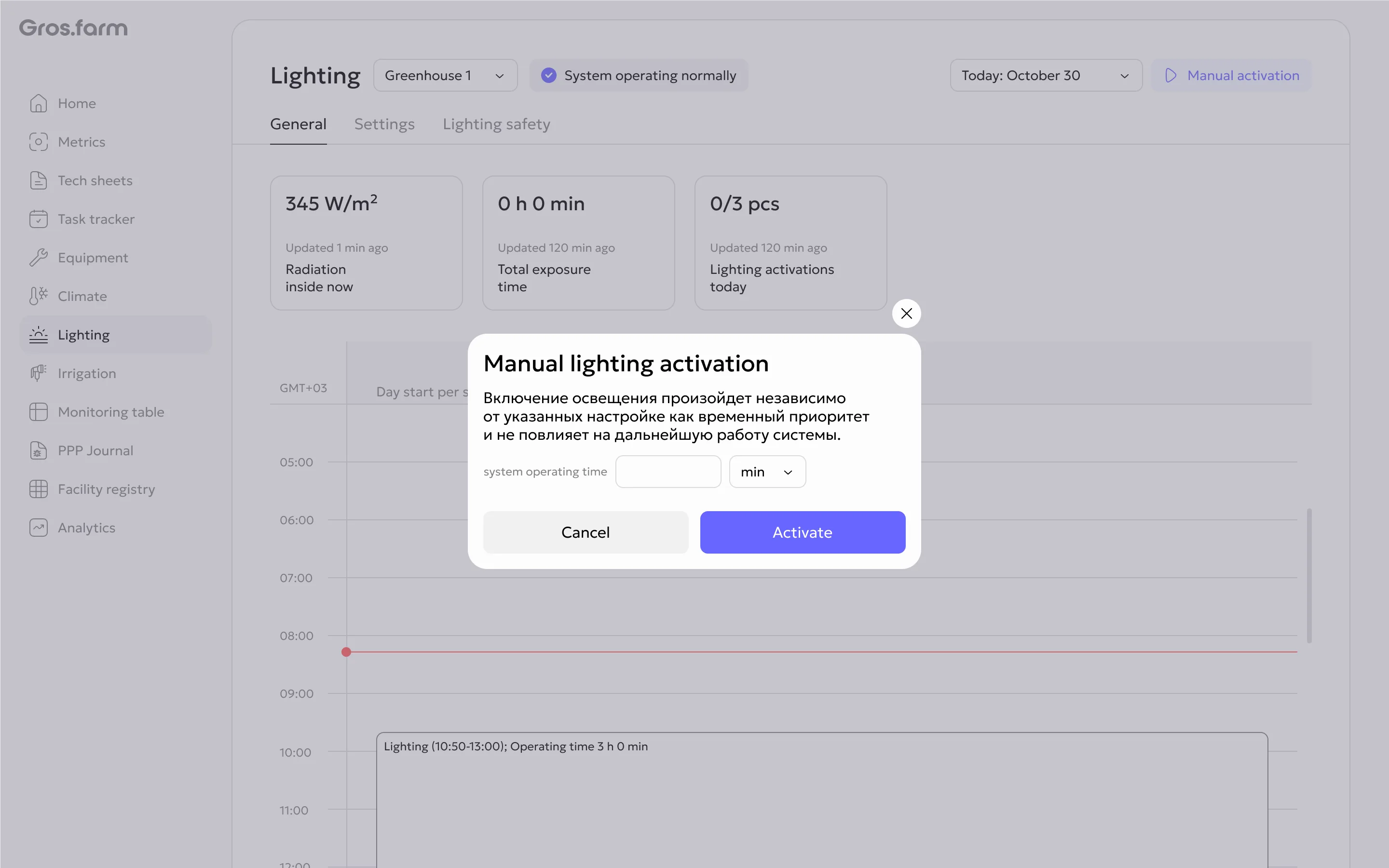
A manual start appears separately on the timeline. Before turning lighting on or off, check the safety of people, plants, and equipment. Gros.farm does not replace local protection or emergency automation.
Lighting modes are described in How to configure lighting. For the module’s purpose and Safety behavior, see Lighting.