Lighting
The Lighting module helps maintain the required light regime for a facility: it can run lights on a schedule, compensate for insufficient natural light, and account for radiation accumulated during the day. Gros.farm calculates the operating plan, while the local control node executes it at the facility.
Overview page
On the Overview tab, you can select a greenhouse and date, review summary indicators, and compare planned and actual lamp operation on a timeline. The cards shown depend on the configured lighting mode and available data.
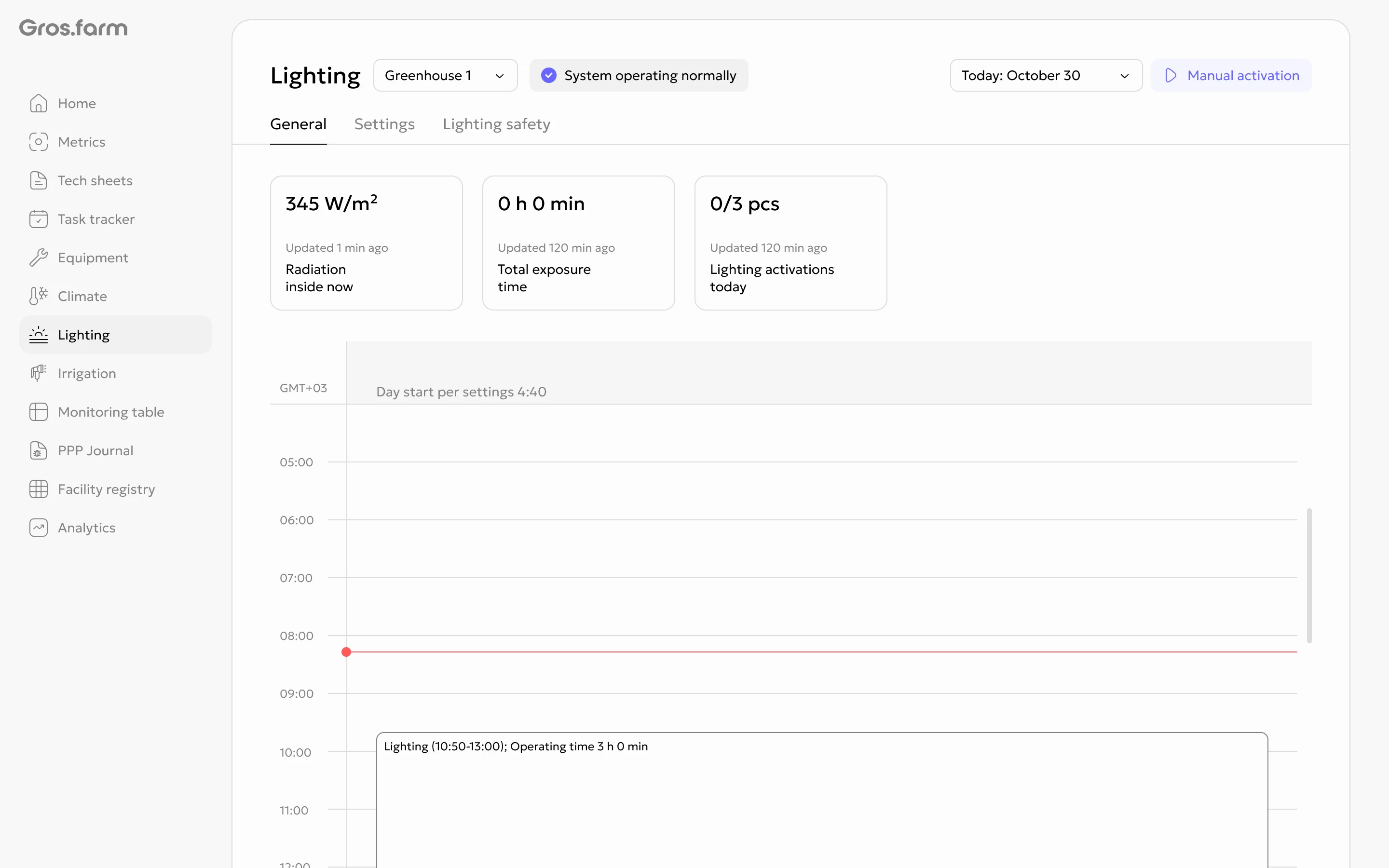
Planned intervals are displayed in advance within the current day. If lighting starts based on a PPFD or irradiance condition, its final duration may become known only after it turns off. For past dates, the page shows stored actual intervals, and a future date cannot be selected.
Manual starts and Safety periods appear on the same timeline. Manual control is available to users with the required role when lighting is enabled in the system and the local node is online. Before sending a command, verify the selected greenhouse and the equipment’s actual state.
Requirements
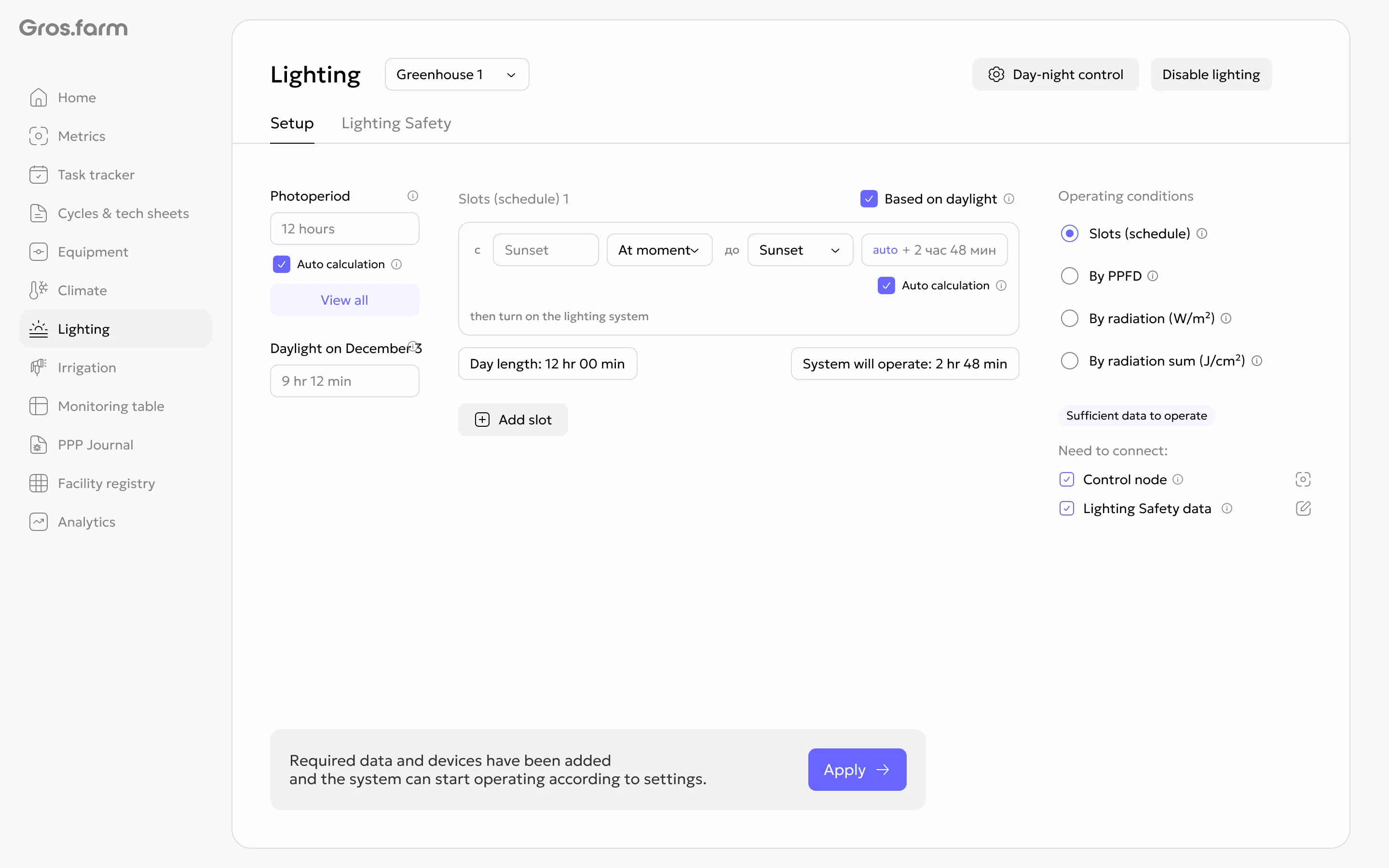
Before configuring lighting, prepare:
- a local control node available for the selected facility;
- connected and configured lighting equipment;
- a valid day and night configuration;
- a light data source: an irradiance sensor, a leaf-level PAR sensor, or a weather service;
- the facility and equipment parameters required for calculations.
Lighting modes
| Mode | Purpose |
|---|---|
| Schedule | Runs lighting during configured periods and can automatically extend the light day to the configured photoperiod. |
| PPFD | Turns on supplemental lighting during daytime periods when the measured PPFD is below the configured threshold. |
| Irradiance, W/m² | Controls supplemental lighting based on current irradiance during selected daytime periods. |
| Radiation sum, J/cm² | Evaluates radiation accumulated during the day and calculates supplemental lighting needed to reach the configured daily target. |
Schedule, PPFD, and instantaneous irradiance are available with flexible day and night settings. Radiation sum can be used with either flexible settings or the sunrise and sunset mode.
Shared settings
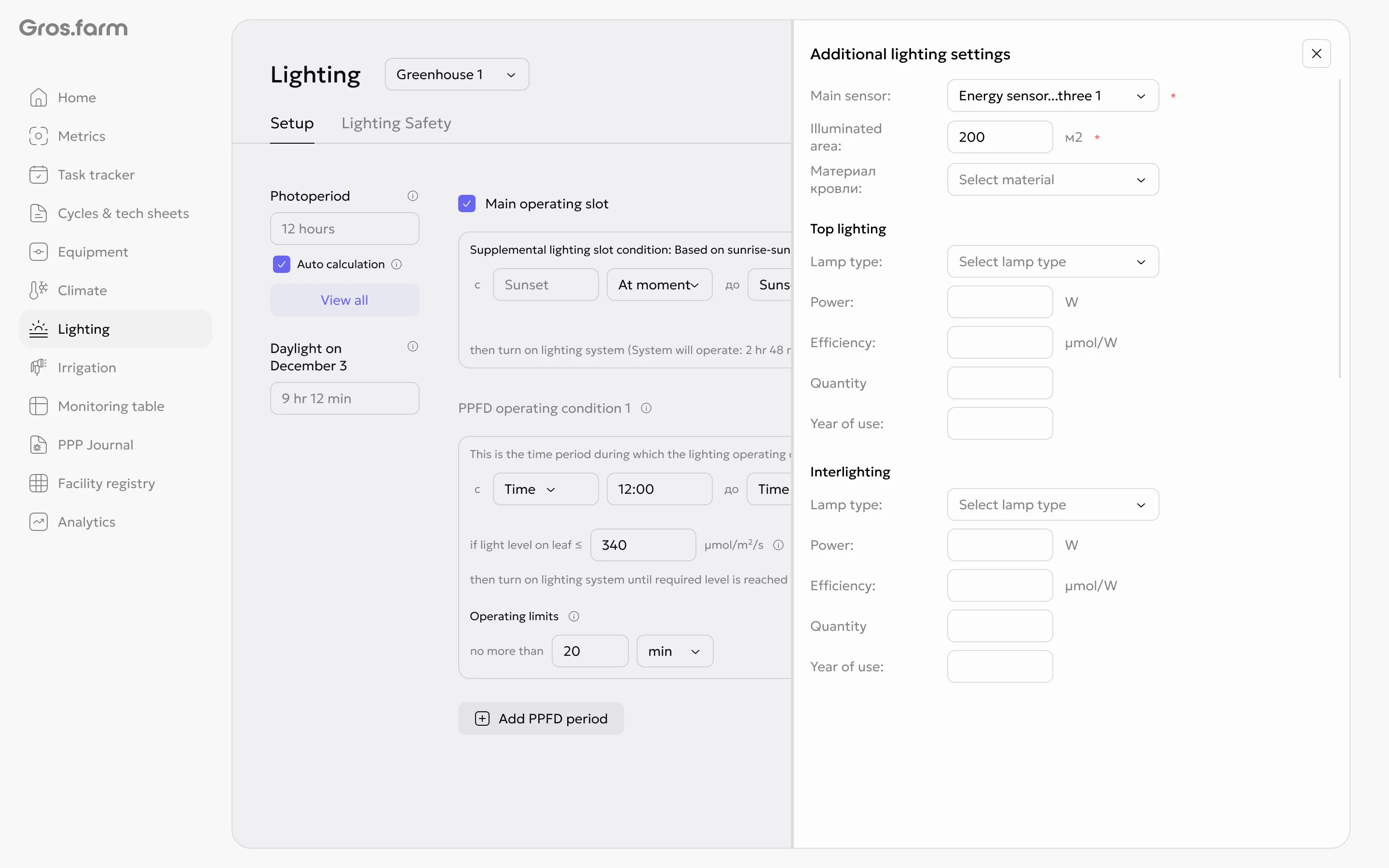
The lighting configuration applies to the entire facility. In the additional settings, specify:
- the primary light data source;
- the roof material and light-transmission coefficient;
- the illuminated area;
- the characteristics of top and inter-row lighting, when used.
A physical sensor selected as the primary natural-light source must be placed where the controlled lamps do not affect its readings. Gros.farm does not automatically switch to another source: if the selected source stops providing data, dependent conditions do not run until data is restored or the configuration is changed.
Safety and autonomous operation
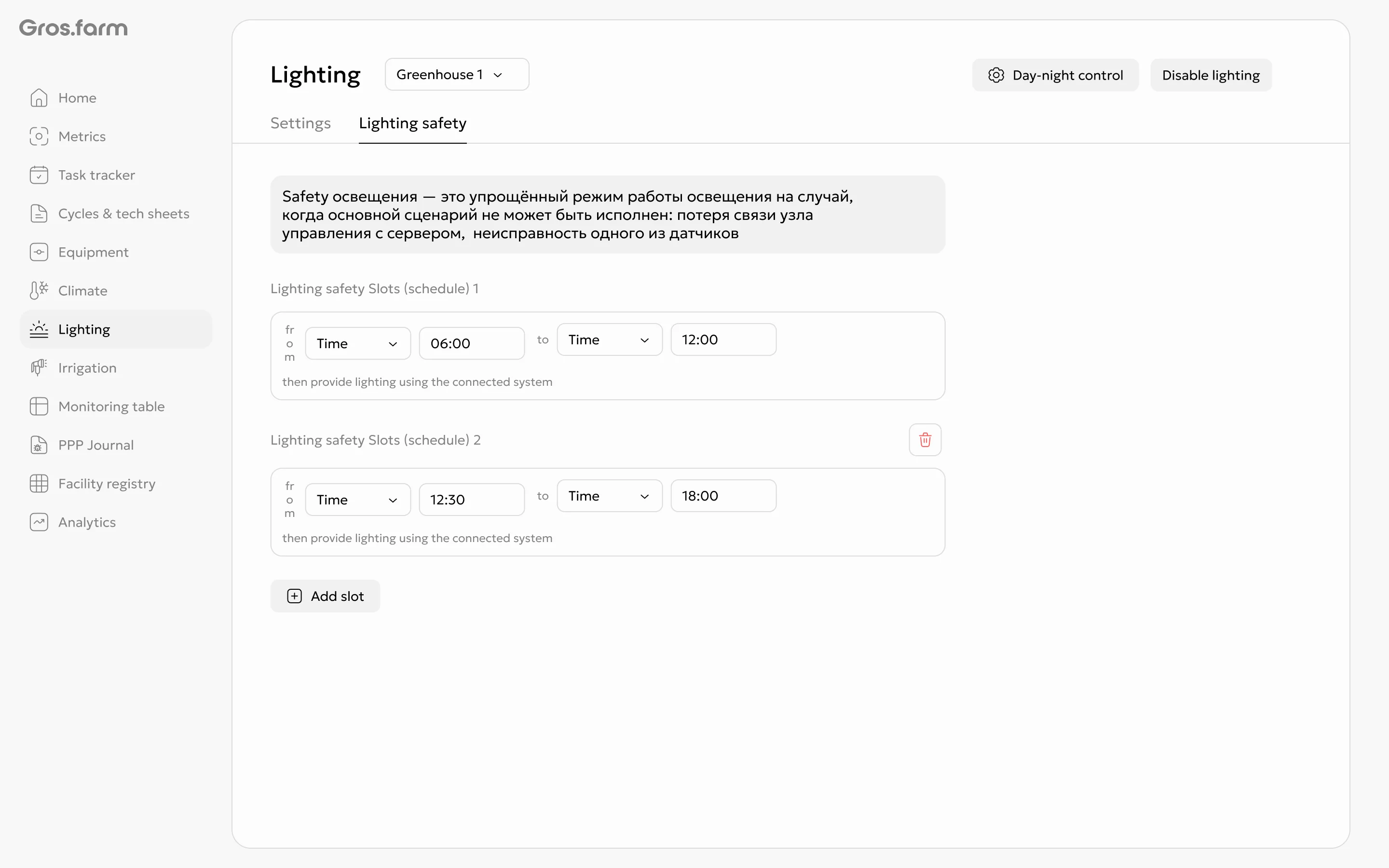
Safety is a mandatory backup schedule for the local control node. The lighting configuration cannot be applied until Safety is configured.
- Define one or more safe lighting periods.
- Set period boundaries as exact times or relative to day, night, sunrise, or sunset settings.
- If communication with Gros.farm is lost, the local node completes the received operating plan and switches to the previously transferred Safety schedule.
Safety does not use sensor-based conditions. After communication is restored, check the node status, the current primary configuration, and the readings from the selected light source.
Important limitations
- Each facility uses one shared lighting configuration without separate zone settings.
- Access to settings depends on the user’s role in the organization.
- Supported commands depend on the connected node and the capabilities of the lighting equipment.
- Gros.farm does not replace local automation, a controller, or SCADA.
For step-by-step instructions, see How to configure lighting. To compare the daily plan and actual operation, see How to check lighting operation on the overview page.