Batch
Variety, origin, quantity, and location.
Floriculture operations
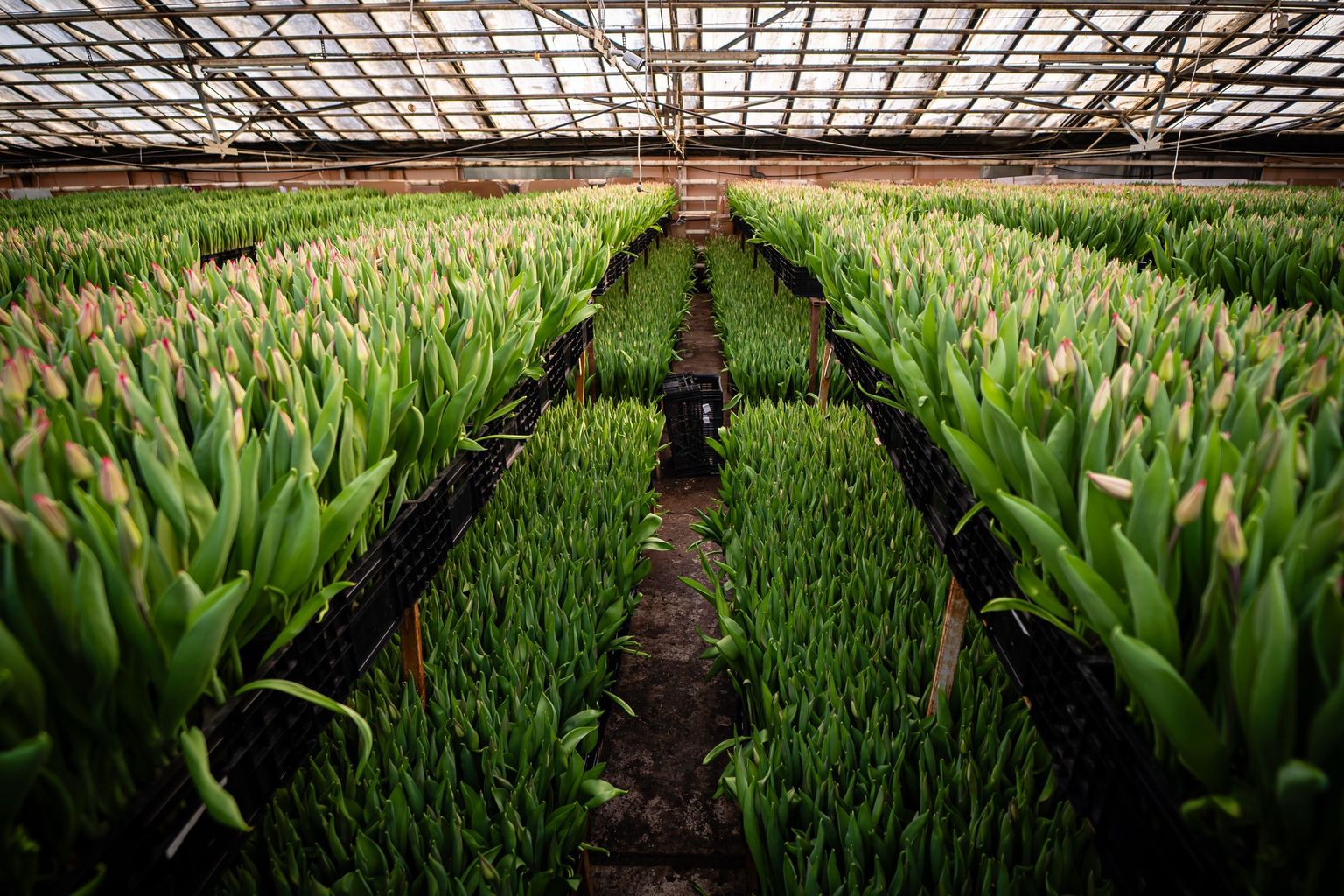
Manage batches of tulips, roses, chrysanthemums, and potted plants—from planting material and crop plans to work, observations, harvest, and results.
A batch matters more than a generic “flowers” row
Tulip forcing, chrysanthemum cycles, and potted-plant production require different methods. Gros.farm keeps the plan, work, and observations with each specific batch—from planting material through cutting or readiness for dispatch.
Variety, origin, quantity, and location.
Stages, targets, and planned readiness date.
Tasks, observations, and actual conditions.
Harvest, quality, and lessons for the next cycle.
Different production cycles
Assets, stages, metrics, and recurring work follow the actual production method. Tulips, chrysanthemums, and potted plants remain distinct production workflows.
Bulb crops
Cut flowers
Potted plants
Planting material
Farm registry
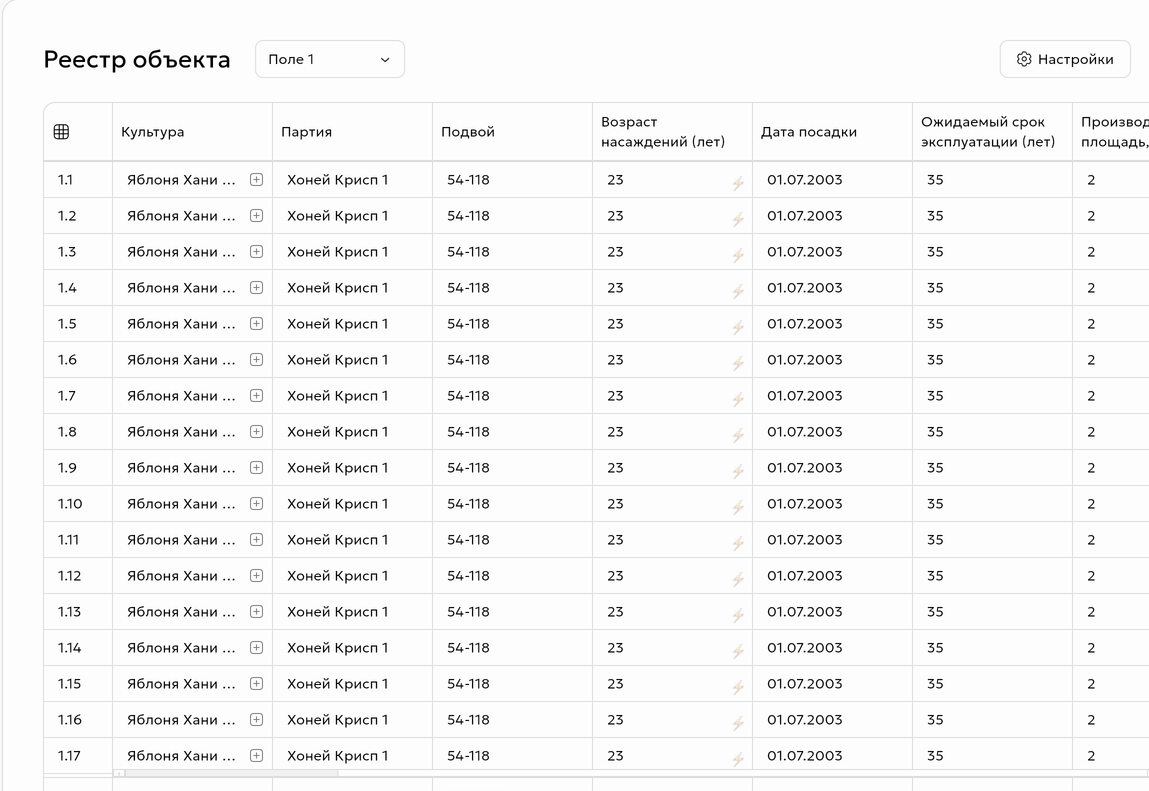
Mirror the production structure: sites, greenhouses, blocks, benches, beds, or rows. Store each batch’s variety, origin, quantity, dates, and current stage.
Crop plan
Define stages, control metrics, and recurring work in the crop plan. The team sees the current plan while the agronomist compares it with the batch’s actual development.
Variety, batch, location, and cycle plan.
Timing, root condition, and uniformity.
Temperature, light, and batch development.
Height, leaf condition, and work.
Bud stage and cutting forecast.
Date, quantity, and batch quality.
Stage names and sequences adapt to the crop—from bulb forcing to potted-plant cycles.
Plant development
Record stage, height, bud size, uniformity, and photos. The log shows when a batch moved off plan and what happened during that period.
Climate, light, and irrigation
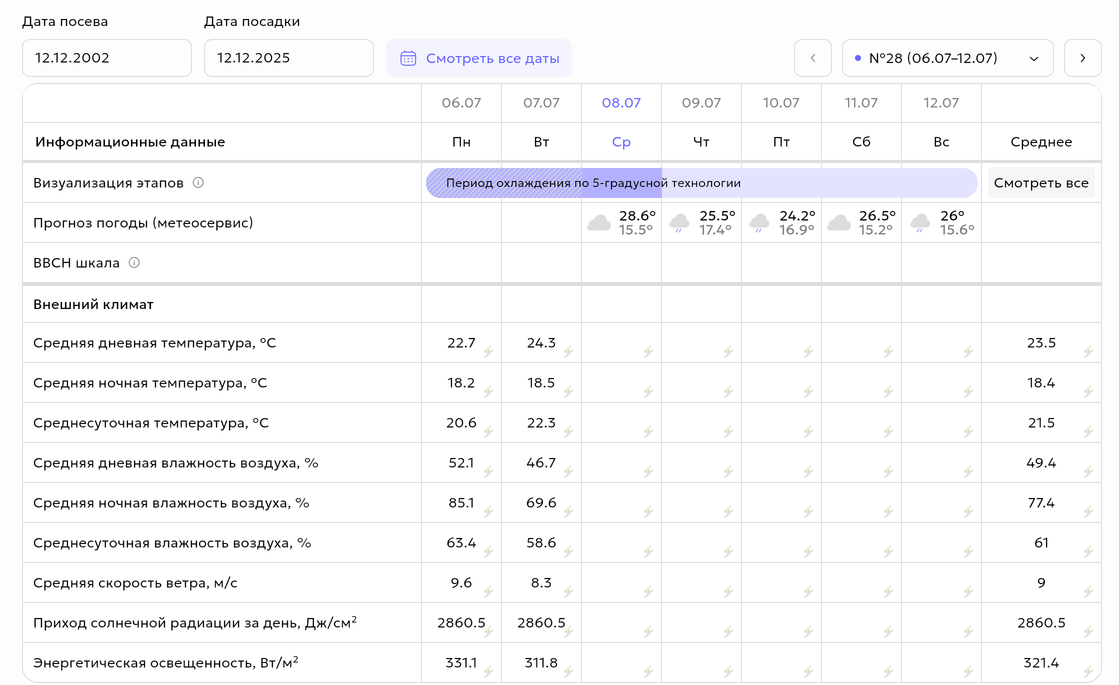
Temperature, humidity, light, and irrigation matter in the context of the crop and its stage. Gros.farm connects available data with work and results, while local automation continues to control equipment independently.
Automation system integrationsTarget ranges and actual values appear in one context
«I liked that simply by using circulation fans, I can reduce electricity costs by 20%.»
Work and crop protection
Planned work comes from the crop plan; urgent work follows an inspection or deviation. Workers see the location, due time, and instructions, while managers see completion and delays.
Cutting and results
Save the result with the batch and variety. After the cycle, see where timing changed, what happened to the crop, and what to adjust in the next crop plan.
Gros.farm AI platform
AI uses assets, crop plans, observations, tasks, and metrics as one context. It helps identify discrepancies and prepare hypotheses; the specialist makes the decision.
Explore AI capabilitiesQuestions you can ask your farm data
Grower experience
«Automating tulip-growing processes is important and even necessary. I only started using the solution recently, but I can already see how working with data helps.»
«We currently work with the production method we have, but your team is always available and ready to help.»
Your first working setup
Add a greenhouse or block, the current stage, and upcoming work. Record actuals for one cycle, then extend the structure to other batches after reviewing it.
A greenhouse, block, bench, bed, or row.
Variety, quantity, location, and current stage.
Upcoming tasks, metrics, and observations.
Use your existing spreadsheets as source material for import and first-cycle setup.
Questions and answers
Asset structures, batch fields, stages, metrics, and work can be adapted to the farm’s method—for example, tulip forcing, chrysanthemum production, other cut flowers, or potted crops.
Yes. A batch can store its variety, origin, location, quantity, dates, stage, crop plan, tasks, observations, and actual cycle result.
No. Gros.farm is built for crop production management: batches, methods, work, observations, and results. Checkout, bouquets, retail delivery, and a shop CRM are a different workflow.
Yes. The first setup can combine an asset registry, crop plan, tasks, manual observations, and available external weather data. Sensors and integrations can be added later, once their practical value is clear.
Gros.farm can receive data and connect regimes with crops through available integrations. The exact scope depends on the equipment. Critical control stays with local automation and does not depend on the cloud.
The actual date, quantity, and quality observations can be stored with the batch and variety. After the cycle, results can be compared with stages, conditions, and completed work.
Existing spreadsheets can serve as source material for import. A practical approach is to start with one batch and the current cycle, test the structure in real work, and then scale it.
No. AI helps find discrepancies, compare cycles, and form hypotheses from the collected context. A specialist validates the data and makes crop decisions.
Next step
We’ll show how to connect the crop plan, work, and observations using your operation as an example.