
Room and cycle
Species and strain, compost or block batch, filling date, technologist and grower.
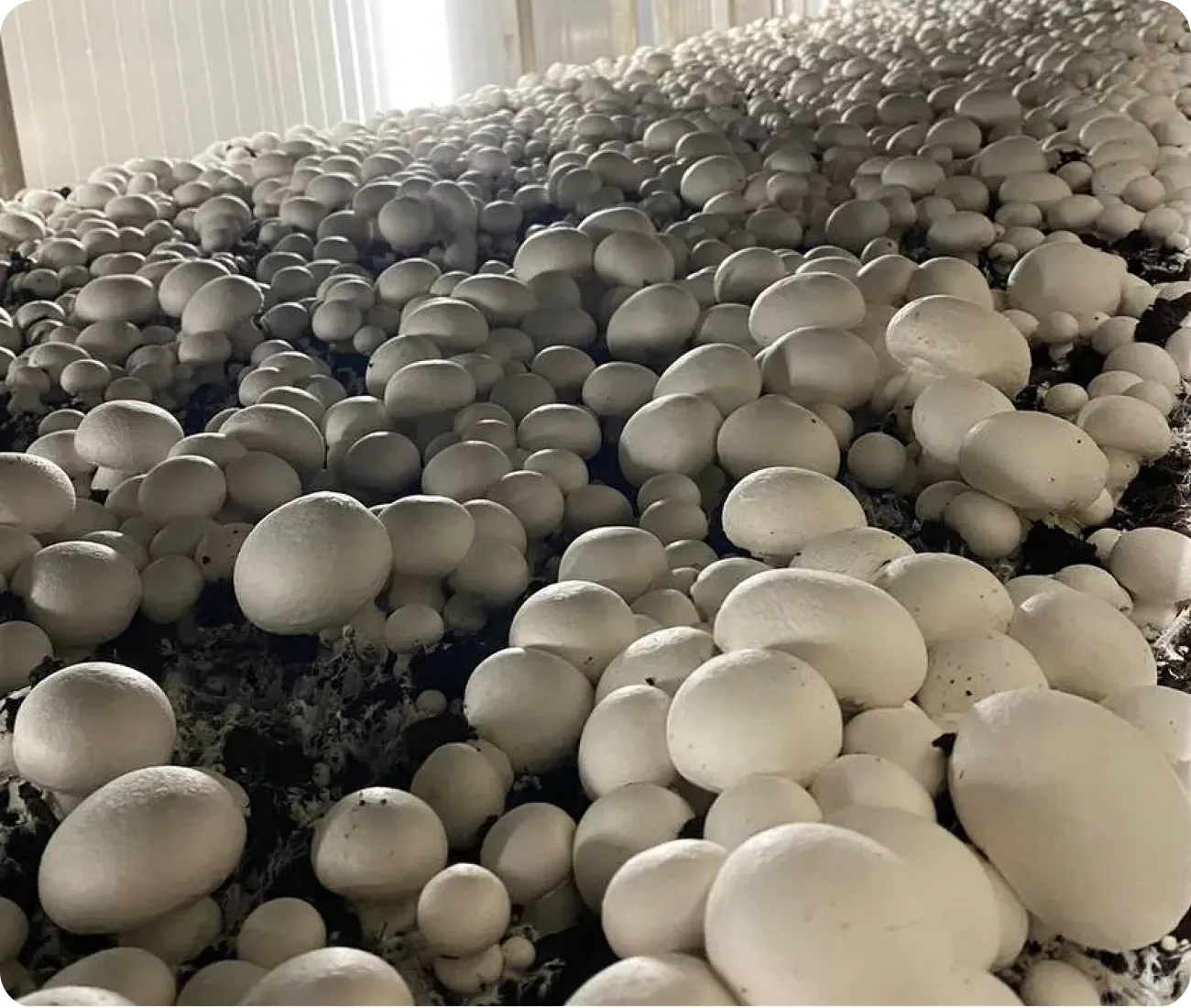
Software for mushroom farms
Gros.farm connects the growing protocol for button mushrooms, oyster mushrooms and other fungi with actual climate data, shift work and the yield of every cycle.
One production context
Rooms at different stages of the cycle
One room may be colonising compost or substrate blocks, another cooling and initiating fruiting, and a third harvesting its first flush. Temperature, humidity and CO₂ only make sense together with the batch, biological stage, shift work and actual yield.
Species and strain, compost or block batch, filling date, technologist and grower.
Stage, climate setpoints, watering, operations and transition criteria.
Substrate temperature, CO₂, grower inspections and work completed during the shift.
Harvest by flush, quality and conclusions for the next filling.
Mushroom-farm registry
Recreate the physical structure of the farm: buildings, growing rooms, racks, tiers, shelves or substrate-block areas. Store the species and strain, compost or block batch, filling date, technologist and actual yield for every cycle.
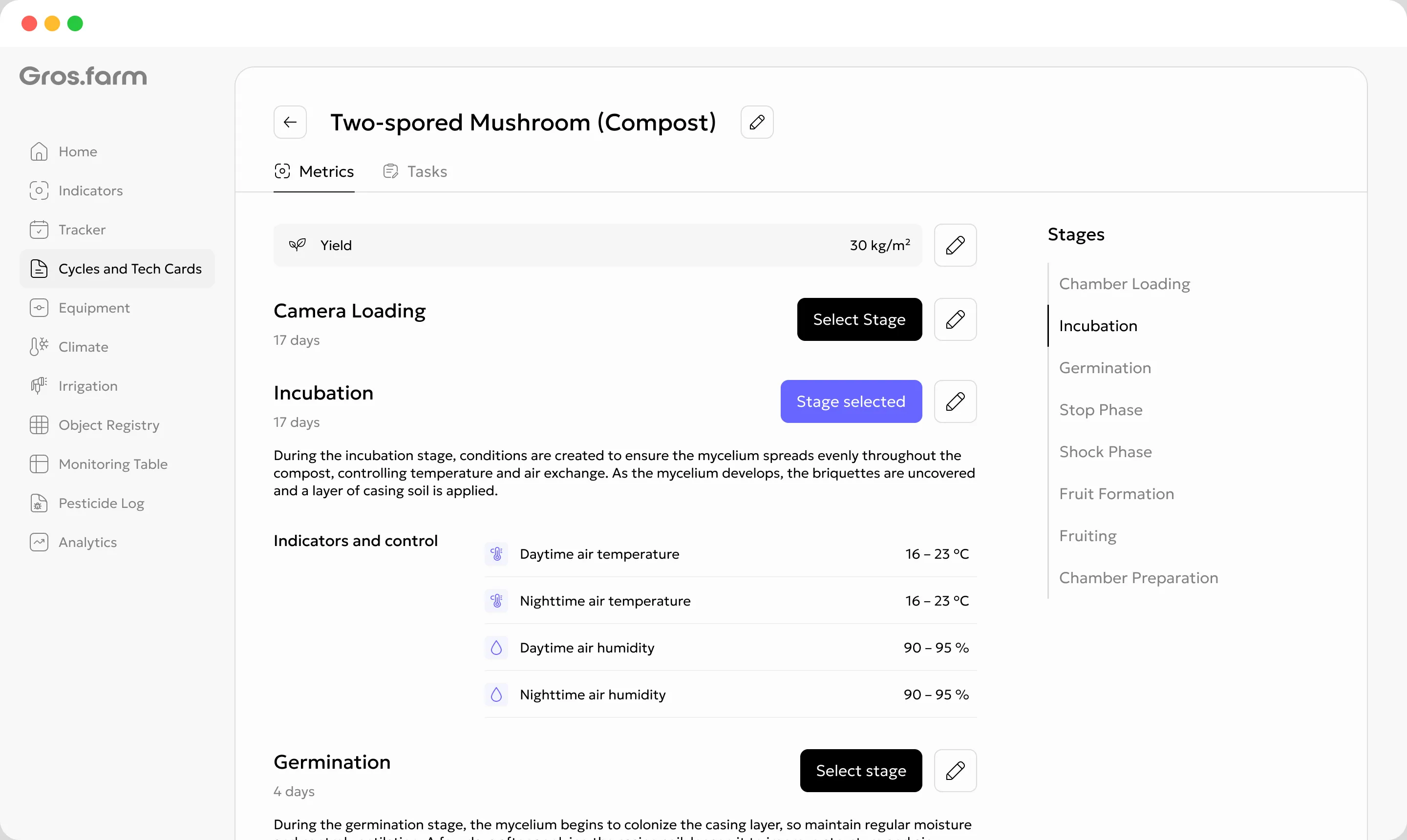
Cycle growing protocol
For each stage, define the duration, target air and substrate temperature, humidity, CO₂, watering, standard operations and transition criteria. Adapt a proven protocol to the farm and repeat it in new cycles.
How crop plans workGrowing-room cycle
The sequence depends on the mushroom species and production method. When the stage changes, Gros.farm updates the target regime, work plan and context for growers and operators.
Compost, casing material, room and filling record.
Mycelium growth and compost-temperature control.
Application, watering and assessment of casing colonisation.
Lowering temperature, fresh air and CO₂ control.
Primordia formation and preparation for the first flush.
Daily harvest, quality, yield and cycle completion.
The technologist approves every transition. Gros.farm records the date and updates the related setpoints and tasks.
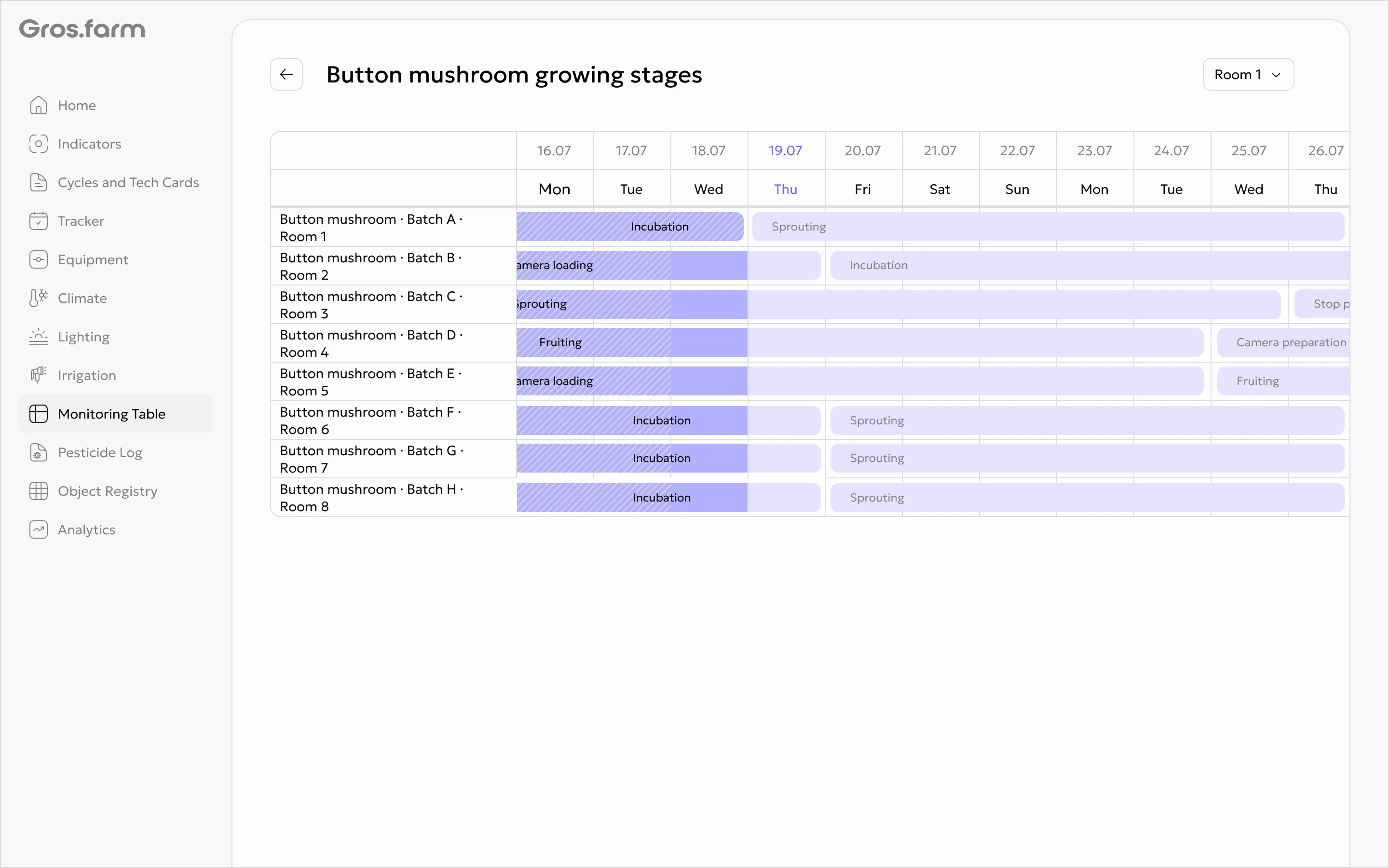
Monitoring table
Keep a day-by-day record of compost or block temperature, room climate, casing and primordia condition, photos, comments and shift work. The technologist sees not only the current reading but how the cycle reached its first flush.
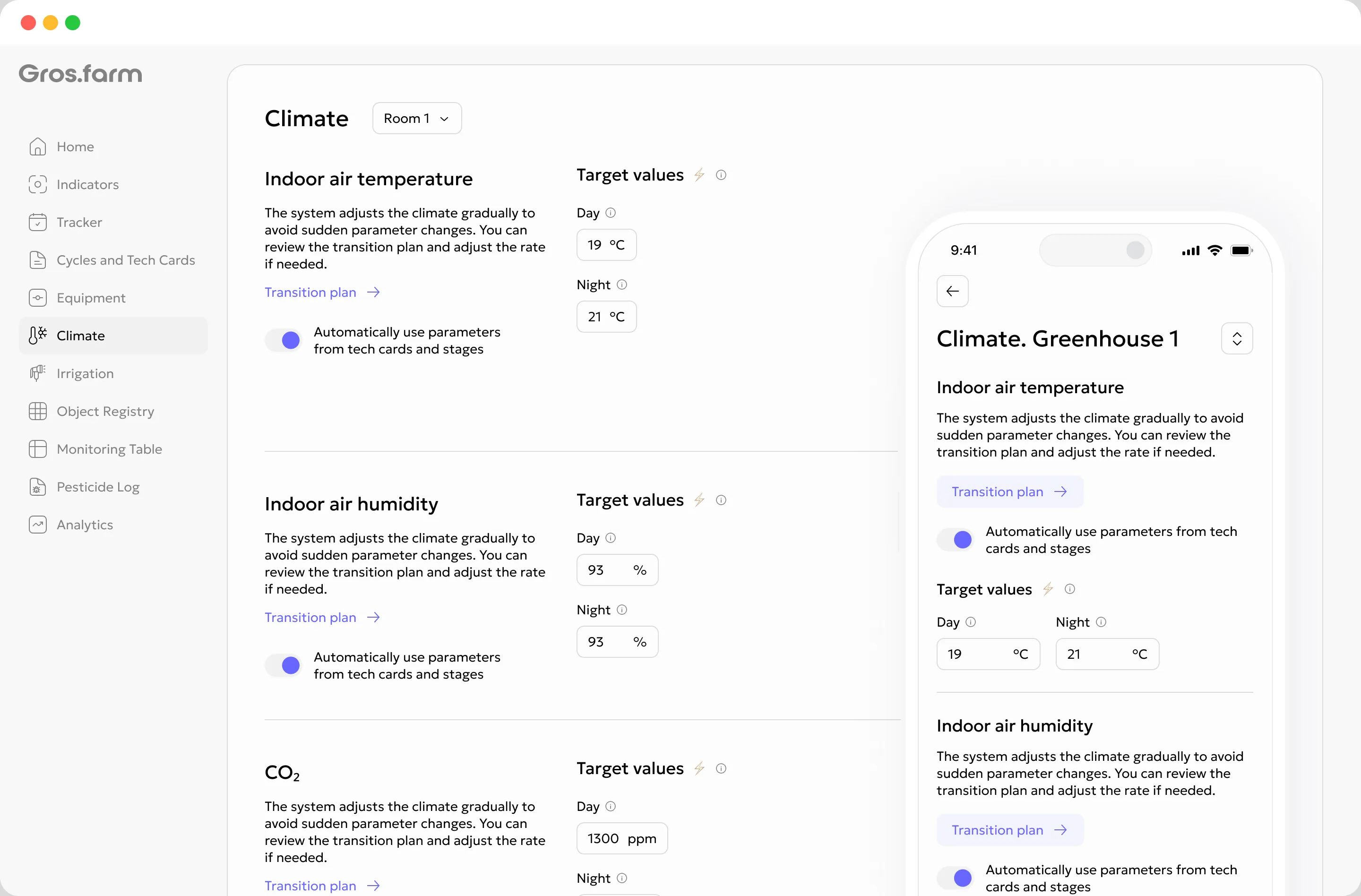
Climate by cycle stage
During colonisation, compost heat and environmental stability matter; during cooling, the temperature reduction rate, fresh air and CO₂ matter; during a flush, humidity and uniformity matter. Gros.farm compares actual data with target ranges and can pass setpoints to local automation.
Grower and operator shifts
Casing watering, colonisation checks, flush preparation, harvesting and sanitation come from the crop plan. Every task is linked to a room, cycle, deadline and assignee: grower, room operator or picker.
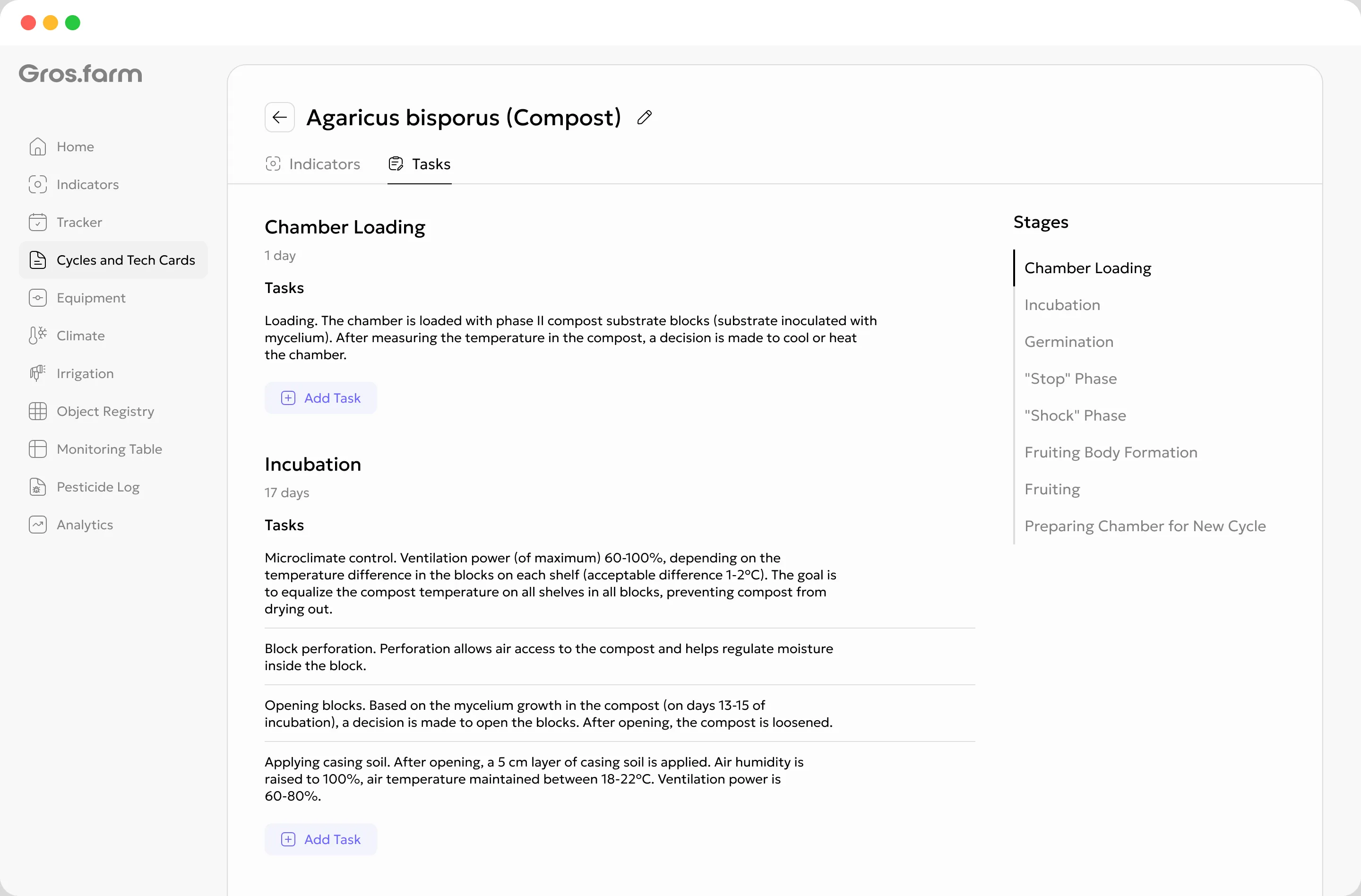
The grower receives instructions and a deadline; the technologist receives completion status and an on-site comment.
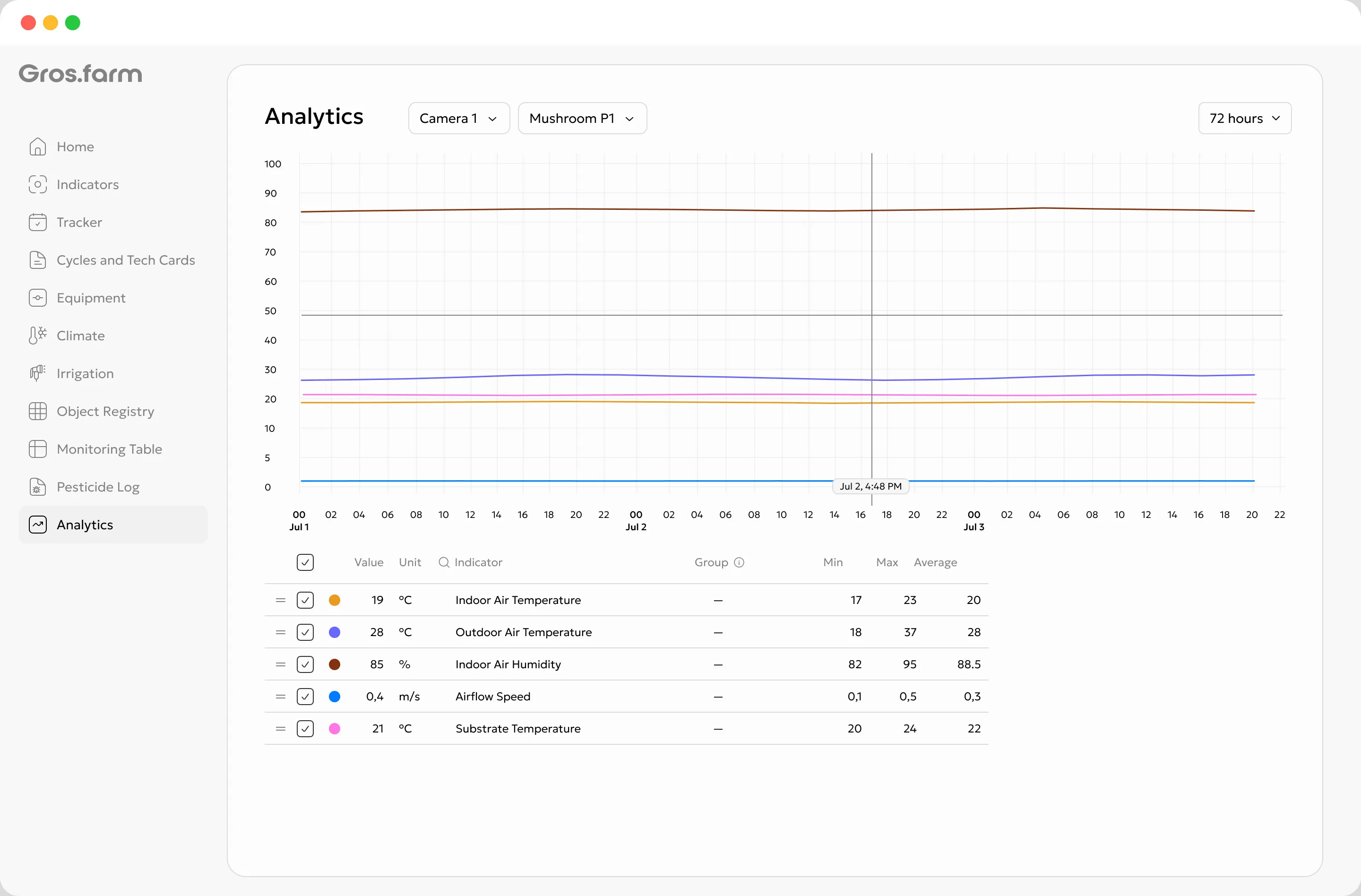
Compare harvest, climate, stage duration and completed work instead of looking at disconnected charts.

Gros.farm AI platform
The registry, crop plan, stages, climate, shift tasks and yield by flush create connected production context. AI helps compare cycles, identify missing data and prepare testable hypotheses. The technologist remains responsible for the decision.
Explore AI capabilitiesQuestions for mushroom-farm data
Different mushroom-production methods
Gros.farm does not force different methods into one template. Rooms, stages, measurements and operations follow the real process of each farm.
Button mushrooms
Oyster mushrooms
Shiitake and other mushrooms
First working production flow
You do not need to digitise the whole site at once. Build the structure of one room, add its current stage and upcoming work, then copy the verified template to other cycles.
Recreate its racks, tiers, shelves or substrate-block areas.
Enter the species and strain, compost or block batch, filling date and stage.
Add watering, inspections, harvesting and other upcoming operations.
Use your existing spreadsheets and protocols as source material for importing and configuring the first cycle.
Questions and answers
The system is not limited to one species. For button mushrooms, you can manage compost, casing, cooling and harvest flushes; for oyster mushrooms, substrate-block batches, incubation and fruiting. The practical starting point is a real cycle in one room, saved as a working template.
Yes. The first flow can cover one room and its current cycle: registry, crop plan, shift tasks, manual observations and yield by flush. You do not need to connect the entire facility and its automation at once.
Gros.farm is primarily designed for managed production with room cycles, production stages, growers, operators, pickers and a need to retain production history. Its functionality is usually excessive for a single home growing kit.
Yes. Compost temperature, casing condition, flush starts and other observations can be entered manually. Add sensors and integrations once their practical value to the farm is clear.
It depends on the equipment and available integration. Gros.farm works above local automation: it supplies production context and setpoints, collects data and stores history, while local controllers continue to operate equipment reliably. Contact us with the controller model and interfaces, and we will propose a connection option.
Local automation should continue to operate autonomously and safely without the cloud. Mobile tasks for growers and operators can be completed offline and synchronised when the connection returns.
Yes. An external technologist can receive a role with access to approved crop plans, room settings, monitoring, analytics and tasks. They see the actual cycle history instead of summaries in a messenger.
No. AI can help collect facts, compare periods, find gaps and prepare hypotheses. Biological interpretation, data verification and the final production decision remain with the specialist.
Next step
We will show how to connect the growing protocol, automation, shift tasks and yield by flush.