
Automation layer
What equipment is doing
- temperature and humidity;
- vents, screens, and heating;
- irrigation cycles and fertigation.
Greenhouse operations
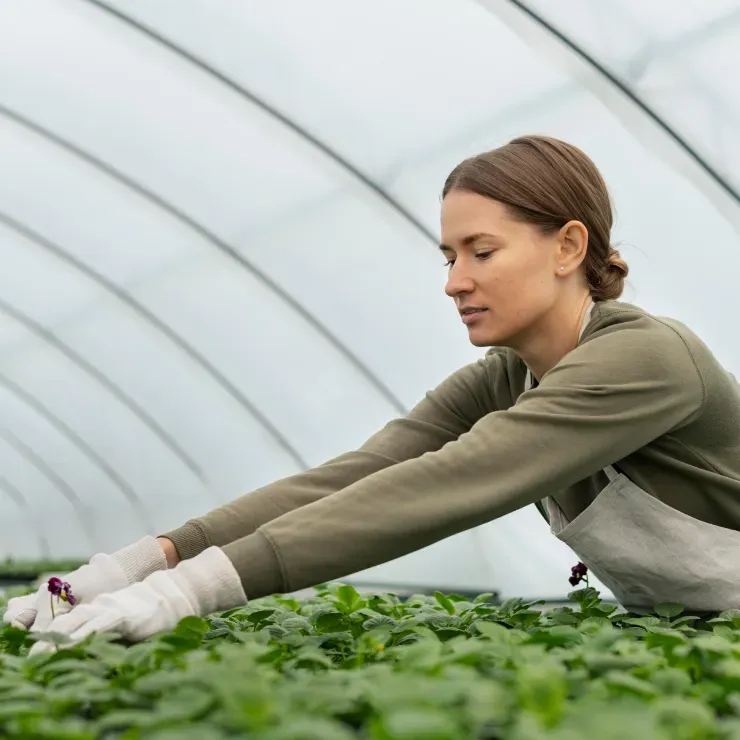
Manage blocks and crops, growing protocols, plant development, climate, irrigation, and work in one production system.
Crop management above automation
Automation layer
Gros.farm
Instead of disconnected screens and spreadsheets, the team gets one story: plan → actual conditions → action → harvest.
Production records
Record what grows where: area, crop, variety, batch, density, dates, owners, and the planned outcome of every cycle.
Sites, units, zones, and responsible staff.
Area, occupancy, crop, and equipment.
Variety, plant count, density, and dates.
Stages, work, yield, and quality — plan versus actual.
Phenology and stages
A stage is the biological and operational context of the crop. Targets, tasks, recipes, photoperiod, and automation setpoints change with it.
Block, substrate, and cycle plan.
Batch, variety, and density.
Establishment and starting regimes.
Growth, training, and nutrition.
Load, quality, and forecast.
Volume, grade, and plan versus actual.
Growing plan
Combine stages, indicators, tasks, recipes, and photoperiod in a working growing plan. When the stage changes, the team and automation receive current targets.
Growing plan
Crop protection
Record an issue in the context of a block and stage, assign treatment, confirm completion, and preserve the result in crop history.
The issue is marked for a block or zone.
Crop, stage, conditions, and history are visible.
The agronomist defines the action and rate.
The task receives a due date and owner.
Completion is confirmed in the system.
The decision can be compared with the result.
The agronomist identifies the cause, chooses an action, and assigns treatment.
A dedicated crop-protection timeline is being developed as a connected monitoring layer.
Daily monitoring
The journal combines manual observations, photos, sensor aggregates, calculated indicators, and stages to show how plants and conditions changed over time.
Monitoring
Climate driven by the protocol
Day and night targets for temperature, humidity, CO₂, and circulation come from the growing plan. A smooth plan limits temperature change while local automation controls ventilation, heating, and other equipment.
Automation system integrationsClimate
Climate setpoints change with the crop stage.
Day, night, transitions, and permitted temperature rate of change.
The controller autonomously operates ventilation, heating, and other equipment.
Professional irrigation
Gros.farm calculates the plan and sends it to the local node. In RADIATION mode, a new cycle starts when the configured radiation sum is reached through a direct sensor or integrated light data.
When the threshold and minimum interval are reached, the local node starts the calculated delivery.
Morning start based on VPD, radiation, and substrate temperature when a sensor is available.
Emitter flow measurement converts the ml/m² target into irrigation duration.
If connectivity or a sensor fails, the local node switches to a deterministic schedule.
Gros.farm sets the plan and schedule. The local controller operates pumps, valves, and dosing.
Team and shift
A task already contains the site, crop, operation, due date, and owner. The worker records completion while the manager sees delays before they affect the next stage.
Tasks
Cycle analytics
Compare blocks and cycles by timing, output, and quality. The chart shows stages, events, conditions, and completed work that help explain the cause.
By block, crop, and cycle.
Across comparable production cycles.
Categories and share of off-grade produce.
Conditions, observations, and completed work.
Analytics
Gros.farm AI platform
AI sees the farm structure, protocol, indicators, tasks, and events—not an isolated file. It helps find gaps and compare cycles, while crop decisions stay with the specialist.
Explore AI capabilitiesQuestions you can ask your farm data
First working loop
Transfer the current structure and protocol, add the next jobs, and begin recording actuals. Add sensors and integrations when they become useful.
Recreate the familiar structure down to a zone or row.
Stages, work, and key target indicators.
Assign the next tasks and begin recording actuals.
Use your spreadsheets as source material for import. Data migration does not require a separate module.
Questions and answers
No. Climate computers and local controllers operate equipment. Gros.farm connects their data and regimes with the crop, stage, protocol, work, and production outcome.
Yes. The first workflow can use the block structure, growing plans, tasks, manual observations, and built-in external weather data. Add sensors and automation where they provide practical value.
Yes. Every block keeps its structure, and each production cycle has a crop, variety, stages, growing plan, tasks, indicators, and final result.
Gros.farm can use manual observations, external weather, sensors, and local automation data through available integrations. The exact setup depends on your equipment.
In RADIATION mode, the system accumulates solar radiation from a sensor or integrated light data. After the threshold and minimum interval are reached, the local node executes the calculated irrigation. Interval periods and a fallback schedule are also available.
It is a separate morning run that can depend on VPD, radiation, and substrate temperature when a sensor is present. Its parameters are configured separately from the main irrigation periods.
Create a treatment as work tied to the site, crop, and stage, assign an owner, and save completion. A dedicated crop-protection timeline is being developed as a connected monitoring layer.
Import and use them as a foundation. Start with one block and the current cycle, validate the structure in daily work, then scale it to other sites. Import does not require an extra paid module.
AI works with production context: sites, stages, indicators, tasks, and events. It helps find discrepancies and form hypotheses, but it neither replaces the agronomist nor operates equipment independently.
The local layer continues autonomously according to its configuration and fallback scenarios. The cloud system should not be the only execution point for critical commands.
The platform foundations support different protected-growing formats, but their protocols and key workflows differ. Dedicated sector pages and configurations are available for them.
Next step
We will show how to transfer your structure, protocol, and current cycle using your operation as the example.